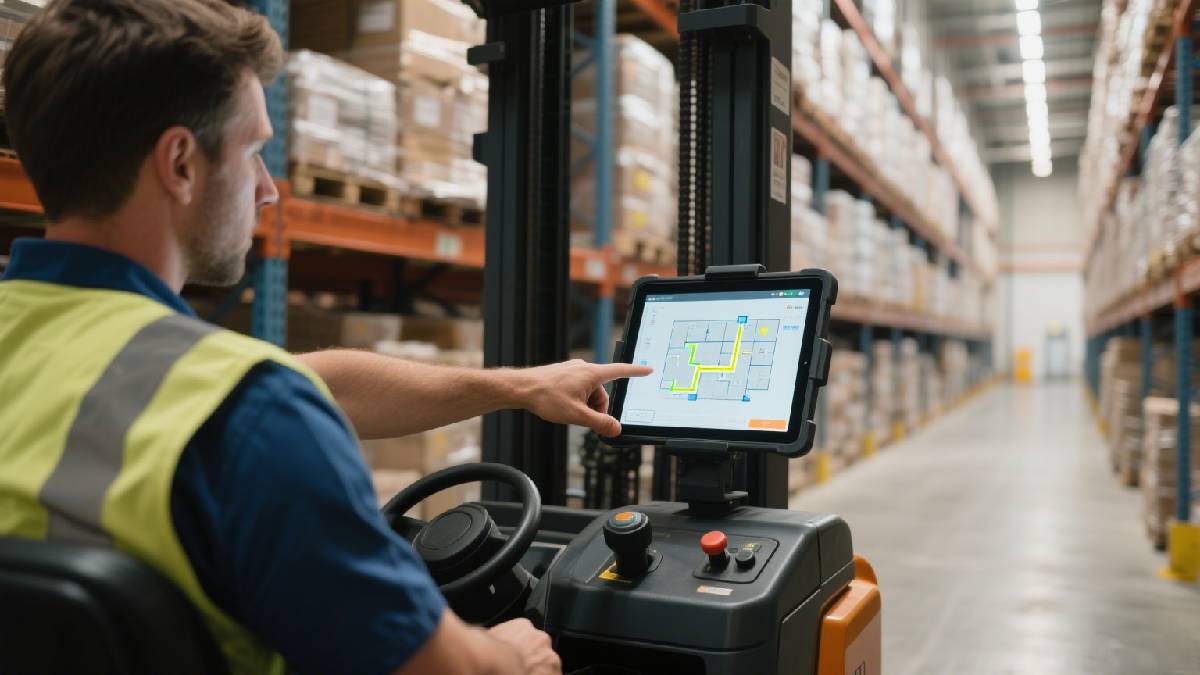
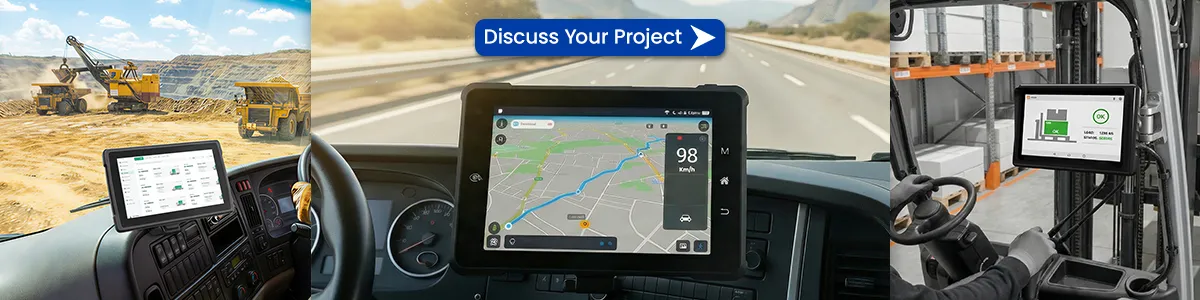
For modern fleets, field teams, and transportation operators, real-time communication is no longer optional. Vehicles are now expected to function as connected mobile workstations, capable of handling dispatch, navigation, reporting, telematics, compliance, and workflow automation — all from inside the cab.
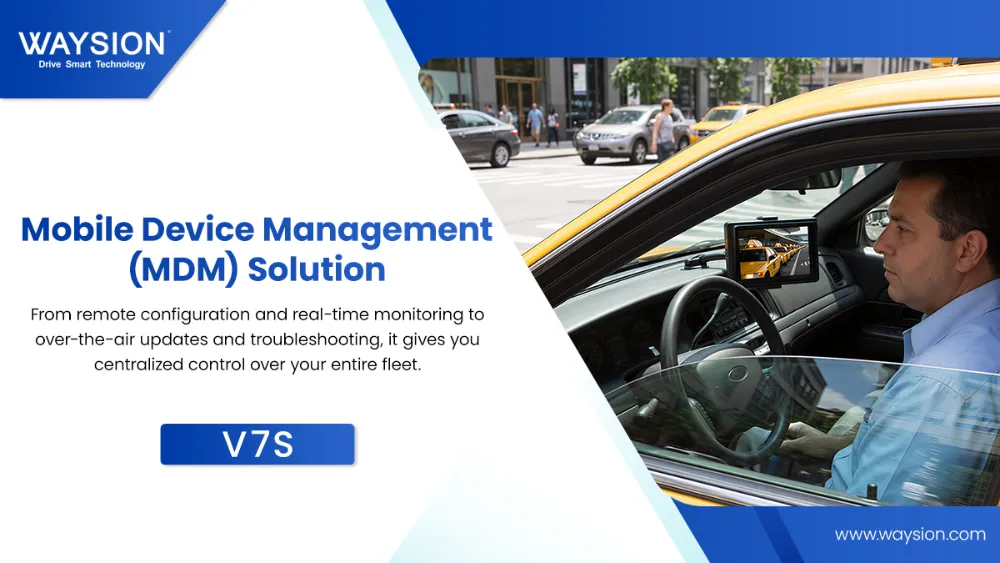
That is exactly where the mobile data terminal (MDT) comes in.
A mobile data terminal is more than a display inside a vehicle. It is the digital control center that connects drivers, vehicles, dispatch systems, and business platforms in real time. Whether you manage trucks, taxis, buses, police vehicles, forklifts, utility fleets, or construction equipment, the right MDT can improve operational visibility, reduce paperwork, and keep field teams connected wherever they work.
Today, many businesses are also rethinking what an MDT should look like. Instead of using outdated fixed computers, more fleet operators are now choosing rugged Android vehicle-mounted tablets that offer the flexibility of a tablet with the reliability of a true in-vehicle terminal.
In this guide, we will explain:
- what a mobile data terminal is
- how MDT systems work
- key MDT features to look for
- common fleet and dispatch use cases
- MDT vs rugged tablet comparison
- how to choose the best MDT for your business
- why modern rugged Android terminals are becoming the preferred choice
If you are researching the best mobile data terminal for fleet management, dispatch systems, transportation, or industrial vehicles, this article will help you make the right decision.
What Is a Mobile Data Terminal (MDT)?
A mobile data terminal (MDT) is a rugged in-vehicle computer or tablet system used to provide drivers and mobile operators with access to:
- dispatch information
- route navigation
- real-time communication
- digital forms
- fleet tracking
- telematics
- job workflows
- compliance tools
- cloud-based applications
Unlike a consumer tablet, an MDT is designed specifically for vehicle environments, where the hardware must remain stable under:
- vibration
- direct sunlight
- long daily operating hours
- unstable power conditions
- outdoor temperatures
- industrial use
In simple terms, an MDT turns a vehicle into a connected productivity hub.
That is why it is commonly used in industries such as:
- trucking and logistics
- taxi dispatch
- public transportation
- law enforcement
- utilities
- mining
- construction
- field service
- agriculture
- warehouse and yard operations
Why MDTs Matter More in 2026
In the past, MDTs were often large, expensive, and tied to specialized in-vehicle computing systems. But fleet technology has changed.
Today’s operations require:
- real-time task updates
- cloud-connected workflows
- flexible app support
- digital inspections
- GPS and telematics integration
- lower hardware maintenance costs
As a result, many businesses are moving away from bulky legacy terminals and toward rugged Android-based mobile data terminals that are easier to deploy, easier to manage, and better suited for modern software ecosystems.
That shift is one of the biggest reasons the MDT market is evolving so quickly.
How Does a Mobile Data Terminal Work?
A mobile data terminal works by combining rugged hardware, vehicle power integration, wireless connectivity, and business software into one operational platform.
A well-designed MDT allows data to move continuously between:
- the driver
- the vehicle
- the dispatch center
- the cloud platform
- the back office
Let’s break it down.
1. The MDT Hardware
The MDT device itself is typically mounted inside the vehicle and includes:
- touchscreen display
- processor and memory
- internal storage
- GPS/GNSS module
- 4G LTE or 5G modem
- Wi-Fi and Bluetooth
- audio support
- I/O interfaces
- rugged enclosure
- optional docking or mounting accessories
Depending on the deployment, the MDT may be:
- permanently mounted
- attached to a docking station
- used as a detachable rugged tablet
This is why many businesses now prefer rugged tablet-style MDTs — they offer both in-vehicle and mobile flexibility.
2. Wireless Communication
The MDT connects to the network using:
- 4G LTE
- 5G
- Wi-Fi
- Bluetooth
- GPS / GNSS
This allows the terminal to:
- receive dispatch jobs
- upload task completion data
- provide live vehicle location
- sync digital forms
- communicate with cloud-based systems
- support route optimization and telematics
For mobile workforces, reliable wireless communication is one of the most important MDT functions.
3. Vehicle Power and Integration
A true MDT is not just “used in a vehicle.” It is designed to work with the vehicle.
Important vehicle-related MDT capabilities may include:
- ignition sense
- auto power on/off
- wide voltage input
- CAN Bus integration
- OBD communication
- reverse signal trigger
- camera switching
- power protection
This is especially important for:
- dispatch fleets
- heavy vehicles
- buses
- forklifts
- police and utility vehicles
Without proper power and vehicle integration, even a good device can become unreliable in the field.
4. Software and Workflow Applications
The MDT runs the apps that keep your operation moving.
These often include:
- dispatch software
- fleet management platforms
- route planning tools
- ELD or compliance systems
- proof of delivery apps
- inspection forms
- digital work orders
- passenger or service management tools
- telematics dashboards
This is one reason Android MDT platforms have become more popular: they offer easier support for modern business apps and custom deployment environments.
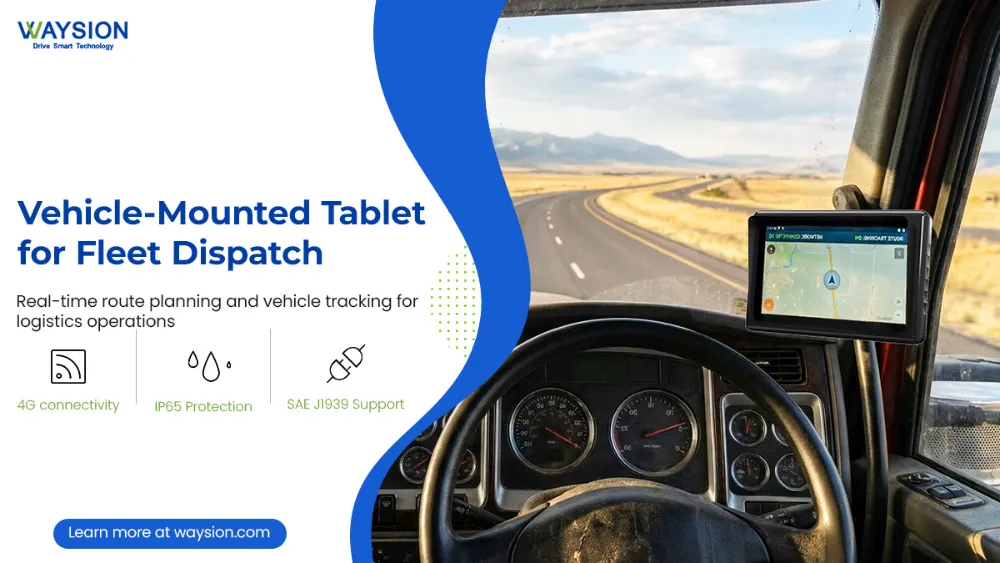
Key Features of a Modern Mobile Data Terminal
When comparing MDT solutions, the most important question is not just “what does it cost?”
It is:
Can it survive real vehicle conditions while supporting the software and workflows your team depends on every day?
Here are the features that matter most.
1. Rugged Design for Vehicle and Industrial Use
A mobile data terminal should be built to withstand conditions that would quickly damage standard electronics.
Look for rugged features such as:
- reinforced housing
- vibration resistance
- shock resistance
- wide operating temperature range
- dust and moisture protection
- stable connectors and ports
This is critical for fleets operating in:
- construction sites
- logistics hubs
- mining areas
- hot climates
- agricultural fields
- outdoor service environments
A fragile tablet may look cheaper at first — until it starts failing in real-world deployment.
2. Sunlight-Readable Display
One of the most common reasons users complain about in-vehicle devices is simple:
“I can’t see the screen clearly in daylight.”
A proper MDT should include:
- high-brightness display
- anti-glare surface
- wide viewing angles
- touch responsiveness under field conditions
This is especially important for:
- taxi dispatch
- truck cabs
- utility fleets
- outdoor loading areas
- bus and transport operations
A screen that works beautifully in an office may become nearly useless in a vehicle under direct sunlight.
3. Stable 4G LTE / 5G Connectivity
A connected fleet cannot function on unreliable communications.
Your MDT should support:
- real-time dispatch
- route synchronization
- GPS tracking
- digital workflow updates
- cloud data sync
- remote device management
In 2026, more fleet buyers are also considering 5G-ready MDTs for future-proof deployments, especially when planning long lifecycle use.
4. GPS / GNSS for Real-Time Location
Location tracking is a core MDT requirement.
A strong MDT should support accurate GNSS positioning for:
- live vehicle visibility
- route compliance
- dispatch accuracy
- geofencing
- ETA tracking
- task validation
For fleet managers, this is one of the most valuable operational data layers.
5. Vehicle Docking and Mounting Support
A mobile data terminal is only as useful as its in-vehicle usability.
The best MDT systems are designed with:
- secure vehicle docks
- stable mounting compatibility
- charging support
- peripheral expansion
- easy install flexibility
This is one reason many fleet buyers now choose rugged tablets with vehicle docks instead of fixed legacy MDT systems.
It gives them:
- easier installation
- easier maintenance
- better replacement flexibility
- multi-use deployment options
6. Rich I/O and Peripheral Compatibility
Depending on your workflow, your MDT may need to connect with:
- barcode scanners
- RFID readers
- external cameras
- telematics modules
- printers
- NFC tools
- serial devices
- sensors
- microphones
- custom accessories
This matters especially in:
- warehouse yard operations
- public transport
- logistics proof-of-delivery workflows
- industrial service environments
7. Long Lifecycle and Enterprise Stability
Consumer devices change too fast for serious vehicle deployment.
A good MDT platform should support:
- long product availability
- enterprise-grade firmware stability
- OS support continuity
- spare parts and accessories
- consistent deployment across multiple vehicles
For B2B buyers, lifecycle support is just as important as hardware specs.
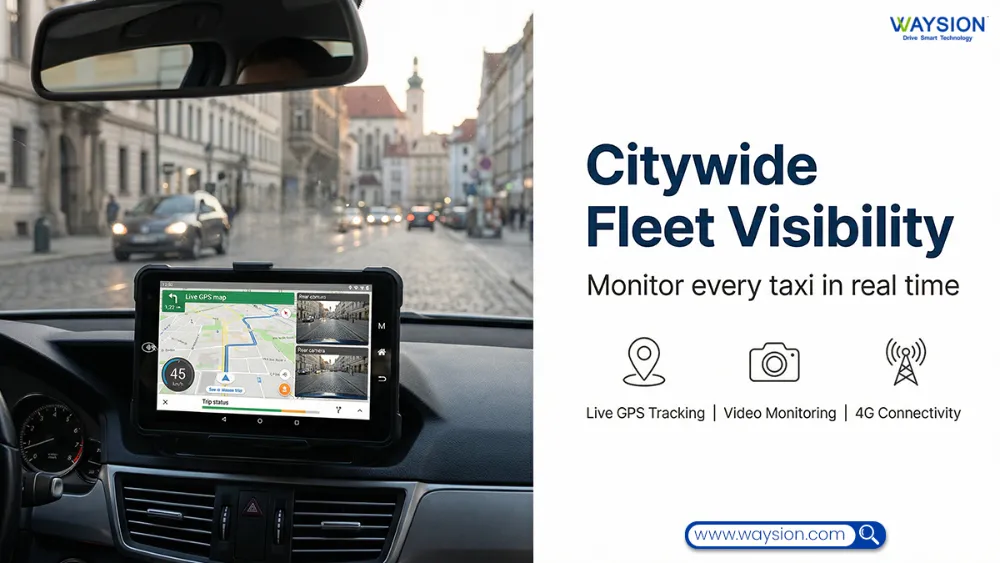
Main Functions of a Mobile Data Terminal
An MDT creates value when it improves daily operations — not when it simply adds another screen to the dashboard.
Here are the most important MDT functions in real deployments.
Real-Time Dispatch Communication
Dispatchers can send:
- tasks
- route changes
- service instructions
- alerts
- status updates
Drivers can respond in a structured way without relying only on calls or messaging apps.
This improves:
- speed
- accountability
- response time
- communication consistency
Route Navigation and Job Guidance
Modern MDTs can support:
- turn-by-turn navigation
- route sequencing
- optimized delivery routes
- pickup and drop-off workflows
- traffic-aware rerouting
This is especially valuable for:
- logistics fleets
- taxi fleets
- field service teams
- utility crews
- shuttle and bus operations
Digital Workflow and Form Automation
An MDT can replace paper-based field workflows such as:
- inspections
- maintenance checks
- proof of delivery
- service confirmations
- signatures
- safety checklists
- incident reports
This reduces:
- paperwork delays
- manual entry errors
- missing records
- operational blind spots
Fleet Tracking and Telematics Visibility
MDTs can help connect operational workflows with:
- GPS tracking
- trip history
- geofence events
- route adherence
- driver activity
- status reporting
This gives dispatchers and fleet managers much better visibility into field operations.
Compliance and Reporting
Many fleet operators use MDTs to support:
- digital inspection records
- work logs
- route confirmation
- compliance workflows
- service traceability
This is especially useful for regulated industries where documentation quality matters.
Camera and Safety System Integration
A growing number of MDT deployments now include:
- reverse camera support
- side camera viewing
- dashcam integration
- ADAS display support
- safety alert workflows
This helps transform the MDT from a communication terminal into a broader in-vehicle operations and safety platform.
Industries That Use Mobile Data Terminals
The best MDT solutions are not limited to one vertical. They can be adapted across many industries depending on workflow and mounting needs.
1. Trucking and Logistics
In logistics and transport, MDTs help with:
- route dispatch
- driver communication
- proof of delivery
- digital inspections
- GPS visibility
- fleet reporting
For these environments, rugged Android MDTs are often preferred because they support modern logistics apps and cloud workflows more easily.
2. Taxi Dispatch and Ride Fleets
Taxi fleets use MDTs for:
- dispatch assignment
- driver messaging
- navigation
- passenger pickup workflows
- trip status management
This often requires compact, vehicle-friendly hardware with excellent screen readability and fast response.
3. Public Transportation and Shuttle Operations
Bus and shuttle fleets often need MDTs for:
- route schedule support
- dispatch updates
- incident reporting
- passenger-related workflows
- vehicle communication
A vehicle-mounted rugged tablet is often ideal in these environments because it offers easier software deployment and maintenance.
4. Police and Public Safety Vehicles
learn More: The Ultimate Guide to Mobile Data Terminals (MDT) in Specialized Industries
Law enforcement MDT deployments typically require:
- secure communication
- stable power integration
- dispatch visibility
- route and incident support
- glove-friendly rugged hardware
This remains one of the most traditional MDT use cases.
5. Utilities and Field Service
Utility and field service fleets use MDTs for:
- work order management
- route optimization
- inspection workflows
- customer service records
- job completion verification
These teams benefit greatly from detachable rugged tablets that can move between vehicle and field use.
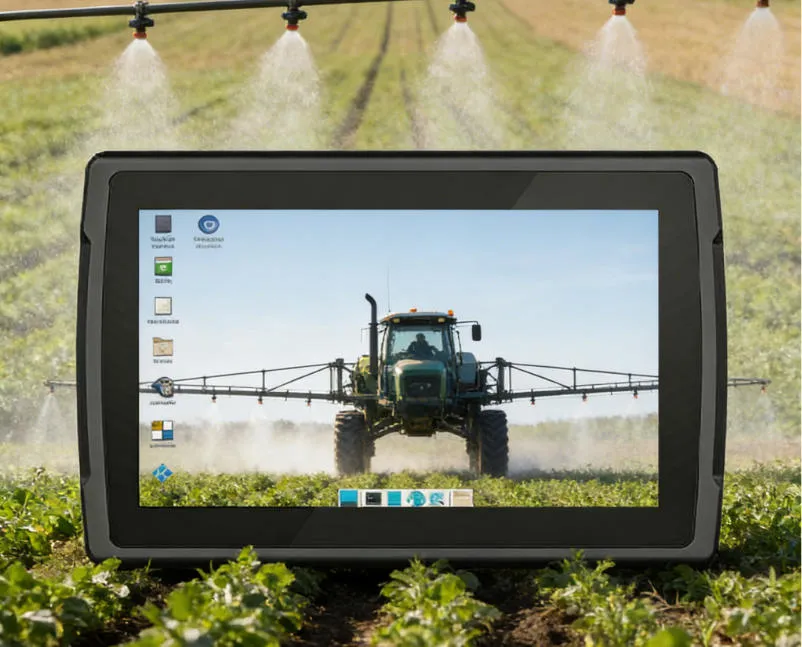
6. Mining, Construction, and Agriculture
These industries need MDT platforms that can withstand:
- vibration
- dust
- outdoor exposure
- heavy equipment conditions
- unstable environments
This is where rugged hardware quality makes the biggest difference.
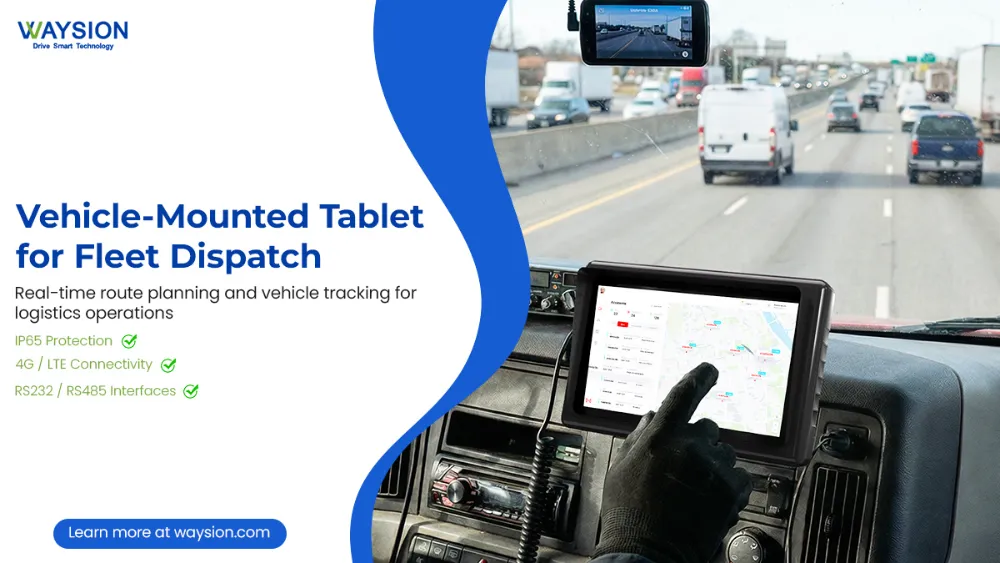
Mobile Data Terminal vs Rugged Tablet: Which Is Better?
This is one of the most important buying questions in the market today.
And the honest answer is:
For many modern fleet deployments, the best MDT is now a rugged tablet-based MDT solution.
Let’s break that down.
Traditional Fixed MDT: Best For
A traditional fixed MDT may still be suitable when:
- the device never needs to leave the vehicle
- the workflow is highly specialized
- legacy systems require a fixed hardware architecture
- the setup is deeply integrated into older fleet infrastructure
However, these systems are often:
- more rigid
- harder to replace
- less flexible for software updates
- less portable for mixed workflows
Rugged Tablet-Based MDT: Best For
A rugged tablet-based MDT is often better when you need:
- in-vehicle mounting
- app flexibility
- Android workflow compatibility
- detachable use
- lower maintenance complexity
- easier upgrades
- modern UI and software support
This is why many businesses now choose vehicle-mounted rugged Android tablets instead of traditional MDT systems.
A rugged tablet can function as a mobile data terminal when paired with:
- vehicle dock
- stable power integration
- fleet software
- wireless connectivity
- rugged enclosure
That gives you the benefits of both worlds:
- MDT capability
- tablet flexibility
Why More Fleets Are Choosing Android MDT Platforms
Android-based MDT platforms are becoming more popular because they offer:
- easier app deployment
- smoother custom software support
- better cloud compatibility
- lower learning curve for drivers
- simpler MDM management
- modern user experience
For many fleet and dispatch operations, Android is now the most practical MDT operating environment.
How to Choose the Best Mobile Data Terminal for Your Fleet
If you are selecting an MDT for your business, these are the decision factors that matter most.
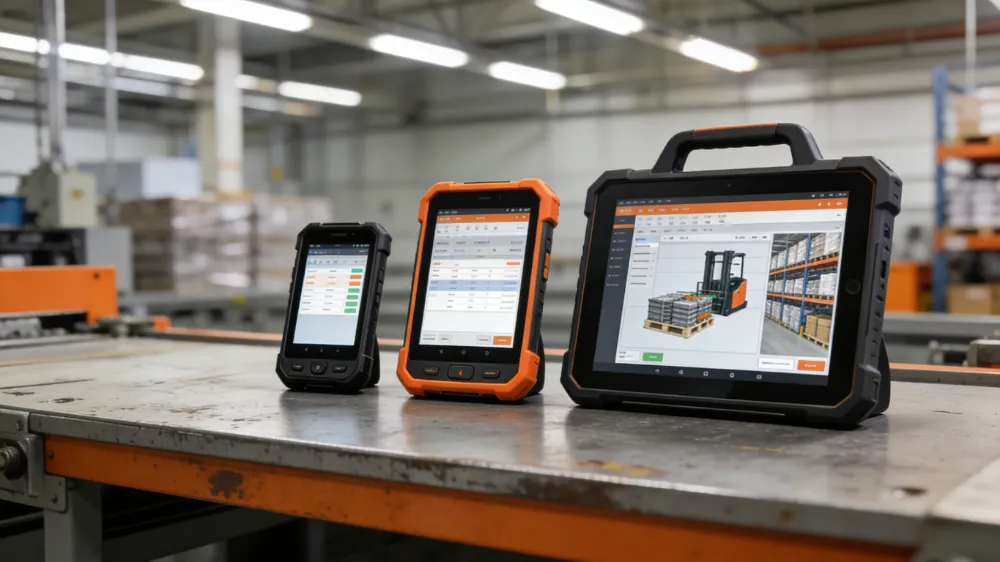
1. Choose the Right Screen Size
Different workflows need different screen sizes.
7-inch MDTs
Best for:
- taxis
- compact dispatch vehicles
- smaller cabins
- lighter app interfaces
8-inch MDTs
Best for:
- field service fleets
- mixed-use operations
- moderate workflow complexity
10-inch MDTs
Best for:
- trucks
- buses
- logistics vehicles
- map-heavy or multi-window workflows
2. Select the Right Operating System
For most modern deployments:
Android is ideal for:
- dispatch apps
- fleet software
- logistics platforms
- custom mobility solutions
Linux is better for:
- highly specialized embedded systems
Windows is better for:
- legacy enterprise applications
For many buyers, Android-based rugged MDTs offer the best balance of flexibility, usability, and long-term deployment value.
3. Confirm Vehicle Power Compatibility
A true MDT should support:
- ignition control
- stable vehicle power input
- low-voltage protection
- consistent startup/shutdown behavior
This is one of the most overlooked — and most important — buying criteria.
4. Evaluate Mounting and Docking Early
Do not wait until after purchase to think about mounting.
The wrong mount can create:
- safety risks
- poor usability
- vibration issues
- long-term hardware wear
Always evaluate:
- vehicle layout
- viewing angle
- user reach
- cabin movement
- install flexibility
5. Think About Software and Integration First
The best MDT is the one that fits your workflow.
Before selecting hardware, ask:
- What dispatch platform are we using?
- Do we need telematics integration?
- Do we need CAN or OBD data?
- Will the device support our field apps?
- Do we need remote device management?
Buying hardware before answering these questions is how many deployments go sideways.
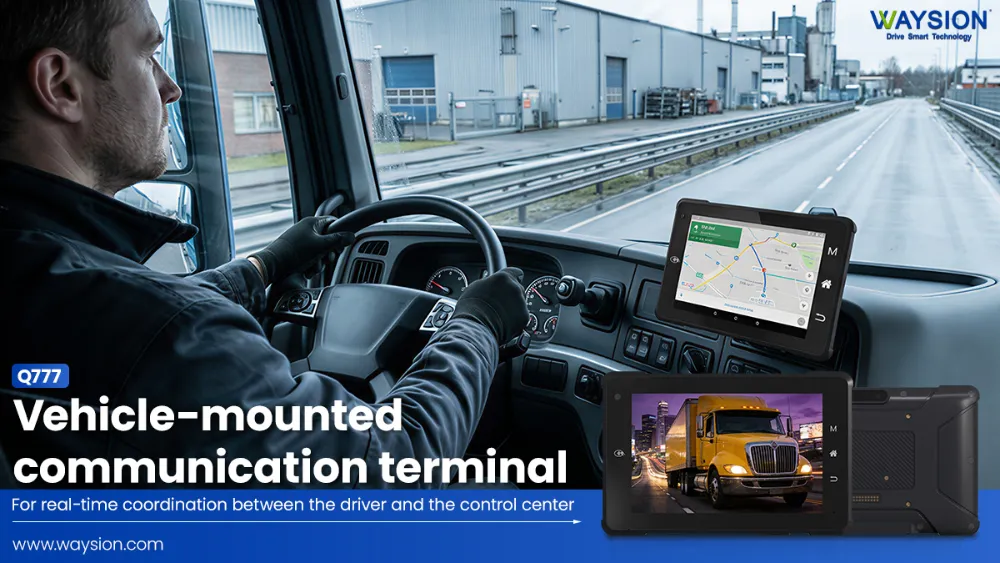
Why Waysion-Style Rugged Vehicle Tablets Fit Modern MDT Deployments
This is where many buyers start connecting the dots.
When companies search for a mobile data terminal, what they often really need is not an old-style fixed terminal.
What they actually need is a rugged, vehicle-ready Android tablet platform that can serve as a modern MDT.
That is exactly why rugged in-vehicle tablets are increasingly used in:
- trucking fleets
- taxi dispatch systems
- warehouse vehicles
- utility fleets
- mining equipment
- logistics operations
- industrial transport environments
What Makes a Rugged Vehicle Tablet a Strong MDT Alternative?
A strong MDT-ready rugged tablet should offer:
- vehicle mounting compatibility
- rugged enclosure
- sunlight-readable screen
- Android OS
- wireless communication support
- GPS / GNSS
- long product lifecycle
- enterprise deployment support
- optional peripheral expansion
This combination gives buyers:
- more flexibility
- lower deployment friction
- easier updates
- simpler software adaptation
- broader use-case compatibility
For many businesses, this is now the most efficient path to building a modern MDT solution.
Final Thoughts: The Best Mobile Data Terminal Is the One That Fits Real Operations
A mobile data terminal is not just a device category. It is an operational strategy.
The right MDT can help your organization:
- improve dispatch speed
- reduce paperwork
- increase visibility
- support drivers better
- digitize workflows
- lower downtime
- modernize fleet operations
But the best MDT in 2026 is often not the oldest or most rigid “vehicle computer” on the market.
In many cases, the smarter choice is a rugged Android vehicle-mounted tablet that combines:
- MDT functionality
- flexible software support
- rugged reliability
- easier deployment
- better lifecycle value
If your business is planning to deploy or upgrade an in-vehicle computing system, now is the right time to evaluate whether a modern rugged MDT platform can improve both operations and ROI.
Frequently Asked Questions About Mobile Data Terminals
What is a mobile data terminal used for?
A mobile data terminal is used for dispatch communication, navigation, fleet tracking, digital forms, telematics, and in-vehicle workflow management.
What is the difference between an MDT and a rugged tablet?
A traditional MDT is usually fixed inside the vehicle, while a rugged tablet can be both vehicle-mounted and portable. Many rugged tablets now function as full MDT replacements.
Can an Android tablet be used as a mobile data terminal?
Yes — if it is a rugged, vehicle-ready Android tablet with proper mounting, power integration, connectivity, and software support.
What industries use MDT systems?
Common MDT industries include:
- trucking
- taxi dispatch
- public transport
- utilities
- police
- logistics
- mining
- agriculture
- field service
What is the best MDT screen size?
That depends on your vehicle and workflow:
- 7-inch for compact fleets
- 8-inch for balanced use
- 10-inch for larger vehicles and more visual workflows
Latest Content
- How Waysion Tablets Transform Manufacturing & Warehouse Operations | Rugged Efficiency Guide
- 10-Inch Rugged Tablet Manufacturer – Global OEM/ODM Solutions with 20+ Years Expertise | Waysion
- How to Choose 7-10 Inch Mobile Data Terminal: 2026 Industrial Buying Guide
- How to Choose a Truck Tablet for Fleet Management: 2026 Selection Guide
- MDT Metrorail: Deployment and Functions in Rail Systems like Miami-Dade Transit
Tags: Fleet Management Use, MDTS, mobile data terminal, Rugged Android Tablets