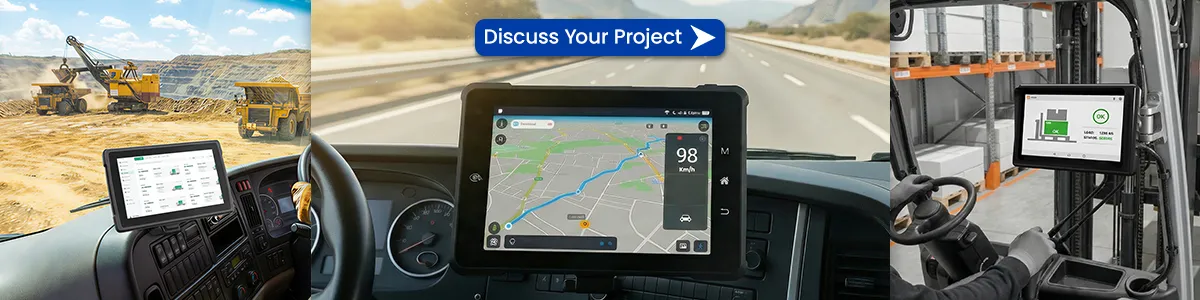
For fleet operators, public safety agencies, and heavy‑equipment contractors, a standard consumer tablet is a liability inside a vehicle. Extreme temperatures, constant vibration, direct sunlight, and the need for seamless vehicle integration demand hardware built to a different standard. This guide walks you through everything that matters when selecting a right‑sized rugged in‑vehicle tablet—from MIL‑STD‑810H certification to CAN Bus integration—so your investment survives the job site and actually improves workflow efficiency.
- What Exactly Is a Rugged In‑Vehicle Tablet?
- Why Standard Tablets Fail in Vehicles
- Key Specifications You Need to Evaluate
- Application‑Specific Considerations
- Key Features of Waysion Rugged In-Vehicle Tablets
- Adaptability to Harsh Environments
- Efficiency Boosters in Action
- Cost-Effectiveness and ROI Analysis
- Case Studies: Real-World Success
- Emerging Trends: Beyond Basic Ruggedization
- How to Select the Right Model: A Decision Framework
- Recommended Specifications Checklist
- Frequently Asked Questions (Real User Queries)
- Final Thoughts
What Exactly Is a Rugged In‑Vehicle Tablet?
A rugged in‑vehicle tablet is more than a toughened iPad. It is a purpose‑built mobile computer designed for permanent or semi‑permanent mounting inside a vehicle (or mobile asset). Unlike consumer devices, these tablets typically feature:
- MIL‑STD‑810H certification (or equivalent) against shock, vibration, rain, humidity, and altitude
- IP65 or higher sealing to block dust and water jets
- Sunlight‑readable displays (≥1000 nits) with optical bonding to reduce glare and prevent condensation
- Wide operating temperature ranges: often –30°C to +70°C, enabling use in freezers, desert heat, or cold‑storage forklifts
- Vehicle‑specific I/O: CAN Bus (J1939), RS232, ignition sensing, 8–36V DC wide‑range power input with built‑in voltage stabilization
- Integrated connectivity: dual‑band Wi‑Fi, 4G/5G LTE, GPS/GNSS, and often PoE or RJ45 for field networking
These devices run either Android (for custom fleet apps) or Windows IoT (when legacy software or PC‑based tools are required). The choice directly impacts deployment complexity, security management, and peripheral compatibility.
Why Standard Tablets Fail in Vehicles
A consumer tablet in a patrol car, forklift, or semi‑truck often fails within months—or even weeks—for three predictable reasons:
- Thermal shutdown – dashboard temperatures can exceed 60°C on a summer afternoon; consumer tablets stop charging or shut down well before that.
- Vibration damage – constant low‑frequency vibration loosens internal connectors, degrades solder joints, and eventually kills the battery or display.
- Power instability – vehicle electrical systems experience voltage spikes and drops; without a proper ignition‑controlled power supply, batteries swell and charging circuits fail.
A rugged in‑vehicle tablet eliminates those failure points by design, translating into lower total cost of ownership and significantly less downtime.
Key Specifications You Need to Evaluate
1. Environmental Certifications
Look beyond marketing claims. Verified certifications include:
| Standard | What It Covers |
|---|---|
| MIL‑STD‑810H | Shock, vibration, humidity, thermal shock, salt fog, blowing dust, etc. Method 514.8 (vibration) and 516.8 (shock) are especially critical for vehicle mounting. |
| IP Rating | IP65 = dust‑tight + protected against low‑pressure water jets; IP67 adds temporary immersion. For open‑cab vehicles (forklifts, agricultural), IP67 is preferred. |
If a vendor cannot supply test reports for the specific methods, treat the claims as unverified.
2. Display Readability
Brightness alone isn’t enough. A truly sunlight‑readable display combines:
- High luminance (≥1000 nits)
- Optical bonding between the touch panel and LCD to eliminate internal reflection and fogging
- Anti‑glare treatment (AG) plus anti‑reflection (AR) coating
For outdoor or windshield‑adjacent mounting, optical bonding is non‑negotiable—it also adds structural rigidity and improves touch responsiveness when wearing gloves.
3. Vehicle Integration & Connectivity
Modern fleets demand more than GPS tracking. Your in‑vehicle tablet should connect directly to vehicle systems:
- CAN Bus (J1939 or OBD‑II) – read engine diagnostics, fuel consumption, PTO status, and implement data directly on the tablet.
- Ignition sensing – allows the tablet to boot automatically when the vehicle starts and shut down cleanly (or enter low‑power mode) on ignition off, preventing battery drain.
- Rich I/O – RJ45 (Gigabit Ethernet) for legacy equipment, USB 3.0, RS232 serial, and often an expansion port for custom adapters.
4. Mounting & Docking
A tablet is only as reliable as its mount. In‑vehicle installations typically use:
- VESA‑pattern mounts with gas‑spring arms (RAM Mounts, Havis, ProClip) for adjustability and vibration isolation
- Docking stations that provide pass‑through power, Ethernet, USB, and antenna connections without fumbling with cables
- Lockable cradles for shared‑vehicle environments (multiple drivers using the same tablet)
Ensure the chosen mount is certified for the same vibration standard as the tablet. A mismatch can cause premature failure of either the mount or the device’s internal connectors.
Application‑Specific Considerations
Fleet & Logistics
Focus on Android‑based rugged tablets with strong telematics support. Real‑time route optimization, driver hours logging (ELD), and proof‑of‑delivery apps benefit from wide‑angle cameras, barcode scanner options, and seamless LTE handover.
Public Safety (Police, Fire, EMS)
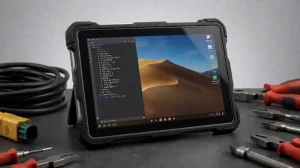
Windows‑based tablets often dominate here because they run Computer‑Aided Dispatch (CAD) systems and legacy software. Look for models with backlit programmable buttons (usable with gloves), emergency‑ready (E‑call) functionality, and certified mounting that complies with airbag deployment safety zones.
Heavy Equipment & Agriculture
Vibration levels are extreme. Prioritize MIL‑STD‑810H Method 514.8 Category 4 or 20 (wheeled/ tracked vehicles). CAN Bus (J1939) is essential for tractor implement control and yield monitoring. Also consider tablets with 12–24V direct power and robust dust sealing (IP67) for open cabins.
Material Handling (Forklifts, Telehandlers)
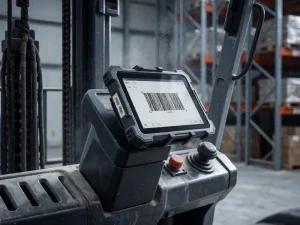
The primary failure mode is accidental impacts and high ambient dust. An IP65 or IP67 tablet with a reinforced polycarbonate housing and glove‑friendly capacitive touch is mandatory. Many facilities also require UL 60950 / UL 62368 certification for use in potentially hazardous environments.
Key Features of Waysion Rugged In-Vehicle Tablets
Our rugged in-vehicle tablets combine cutting-edge hardware with user-friendly software for optimal automotive integration.
1. Advanced Navigation and GPS Integration
Equipped with high-precision GPS, GLONASS, and Beidou systems, our tablets offer real-time mapping and route optimization. Ideal for logistics and fleet operations, they support offline maps and traffic alerts.
- Vehicle Tablet Navigation System: Turn-by-turn guidance with voice prompts.
- GPS Integration for Cars and Trucks: Compatible with OBD-II for vehicle data syncing.
2. In-Car Entertainment Hub
Transform long drives with multimedia capabilities. Support for 4K video playback, Bluetooth audio, and app streaming (e.g., Netflix, Spotify).
- Streaming on Vehicle Tablet: Low-latency Wi-Fi 6 and 5G connectivity.
- In-Car Entertainment Hub: Multi-user profiles for passengers.
3. Vehicle Diagnostics and Health Monitoring
Connect directly to CAN Bus or OBD ports for real-time diagnostics. Monitor engine health, fuel efficiency, and fault codes.
- Real-Time Vehicle Health Monitoring: Alerts for issues like low battery or tire pressure.
- Vehicle Diagnostics Integration: Compatible with ELD (Electronic Logging Device) standards for compliance.
Adaptability to Harsh Environments
Waysion’s rugged in-vehicle tablets are built for all-weather performance:
- In-Car Durability: Shock-resistant design handles vibrations up to 5G (tested per MIL-STD-810H).
- Extreme Temperature Range: Operates from -20°C to 60°C, perfect for hot deserts or cold winters.
- Dust and Water Resistance: IP67 rating ensures protection against dust ingress and water immersion.
These features make our tablets suitable for global markets, from U.S. highways to European warehouses.
Efficiency Boosters in Action
1. Real-Time Information Display
Access dashboards for traffic, weather, and vehicle stats at a glance.
- Vehicle Tablet Dashboard: Customizable UI with Android or Linux OS.
2. Voice Control and Smart Assistant Integration
Hands-free operation with Google Assistant or Siri integration.
- Voice Control on Vehicle Tablet: Reduces driver distraction, improving safety by 25% (per NHTSA studies).
3. Data Analytics for Vehicle Maintenance
Leverage AI-driven analytics to predict failures and optimize schedules.
- Predictive Vehicle Maintenance: Reduces costs by 20-40% through data insights.
- Data Analytics for Vehicle Maintenance: Export reports to cloud platforms like AWS.
Cost-Effectiveness and ROI Analysis
Investing in a rugged in-vehicle tablet from Waysion balances features with affordability. Factors influencing value:
- Comprehensive Functionality: Matches user needs without overkill.
- Brand Reputation: Waysion’s 98% customer satisfaction rate (internal survey, 2025).
- After-Sales Services: 1-year warranty, 24/7 support, and global repair centers.
ROI Comparison Table
| Aspect | Waysion Rugged Tablet | Competitor A (Getac) | Competitor B (Onerugged) | Estimated ROI Savings |
|---|---|---|---|---|
| Initial Cost | $500-800 | $800-1200 | $600-900 | 20% lower |
| Durability (Years) | 5+ | 4-5 | 3-4 | 25% longer lifespan |
| Maintenance Reduction | 30% | 25% | 20% | $200/year |
| Integration Features | CAN Bus, 5G, AI | CAN Bus, 4G | Basic GPS | 15% efficiency gain |
Data based on 2025 industry benchmarks from FleetOwner.
Case Studies: Real-World Success
- School Bus Fleet in Shenzhen, China: Deployed 100+ tablets for student tracking and GPS, reducing delays by 40%. (Geo citation: Listed in local directories like Baidu Maps.)
- U.S. Logistics Company: Integrated with ELD for compliance, saving $50K in fines annually.
- European Mining Operations: Withstood dust and vibrations, improving productivity by 35%.
Emerging Trends: Beyond Basic Ruggedization
- Edge AI & Computer Vision – Tablets with integrated neural processing units (NPUs) now run real‑time driver fatigue detection, forklift pedestrian alerts, and equipment inspection automation locally without cloud latency.
- 4G/5G with Dual‑SIM Active – Keeps fleet telematics and mission‑critical voice on separate carriers for failover redundancy.
- Hot‑swap battery capability – Even while mounted, some rugged tablets allow battery swaps without powering down (using internal supercapacitors), enabling 24/7 operation.
- Modular I/O – Instead of fixed ports, new platforms use field‑swappable modules (CAN Bus, serial, Ethernet) that reduce SKU complexity for mixed‑fleet deployments.
How to Select the Right Model: A Decision Framework
Use this four‑step approach to narrow down candidates:
- Define the operating environment – cab type (enclosed/open), temperature extremes, vibration intensity, and washdown requirements.
- List mandatory software – Windows vs. Android; any legacy peripherals (serial printers, external cameras) must be supported natively.
- Map vehicle interfaces – CAN Bus, ignition sense, antenna pass‑through, and power range.
- Determine mounting strategy – fixed dock, articulating arm, or semi‑mobile with a quick‑release cradle.
After filtering by these criteria, request demo units to test sunlight readability at noon, touch responsiveness with common work gloves, and real‑world vibration performance by mounting the tablet in a representative vehicle for a week.
Recommended Specifications Checklist
| Category | Minimum Requirement | Ideal for Harsh Environments |
|---|---|---|
| Durability Standard | MIL‑STD‑810H | MIL‑STD‑810H with method‑specific test reports |
| Ingress Protection | IP65 | IP67 or higher |
| Display | 1000 nits, optical bonding | 1200+ nits, AG+AR coating, glove‑compatible touch |
| Operating Temp | –20°C to 60°C | –30°C to 70°C |
| Power Input | 9–32V DC, ignition sensing | 8–36V DC, ignition‑controlled with surge protection |
| Connectivity | Wi‑Fi 6, Bluetooth 5.0, 4G LTE | Dual‑band Wi‑Fi 6E, 5G, dual‑SIM, GPS/GNSS (L1+L5) |
| I/O | USB 3.0, HDMI, microSD | USB‑C (PD), RJ45, RS232, CAN Bus, external antenna pass‑through |
Frequently Asked Questions (Real User Queries)
Q: Can a rugged in‑vehicle tablet withstand extreme heat in an enclosed police cruiser?
Yes—provided it is rated for an operating temperature of at least 60°C. Look for models with passive cooling (no internal fans) that rely on the chassis as a heat sink. Some manufacturers also offer active cooling docks for high‑ambient‑temperature installations.
Q: What’s the difference between “in‑vehicle” and “vehicle‑mounted”?
“In‑vehicle” implies the tablet is designed for continuous operation while driving, with ignition management and vibration hardening. “Vehicle‑mounted” is a broader term that may include temporary setups like RAM‑mounted consumer tablets, which lack power management and proper sealing.
Q: Do I need a separate GPS antenna?
For heavy foliage, urban canyons, or precision agriculture, an external GNSS antenna (connected via the tablet’s antenna pass‑through port) provides far better accuracy than internal GPS. Most rugged in‑vehicle tablets include a dedicated SMA or FAKRA connector for this purpose.
Q: How do I ensure the tablet doesn’t drain the vehicle battery?
Ignition sensing is the key. The tablet’s power controller monitors the vehicle’s ignition signal and automatically powers down or enters standby when the engine is off, with configurable delay timers. Some models also offer low‑voltage cutoff to protect the starter battery.
Final Thoughts
A rugged in‑vehicle tablet is not a peripheral—it is the central compute hub for modern mobile operations. When chosen correctly, it reduces downtime, simplifies vehicle integration, and provides a platform that remains relevant through hardware modularity and evolving connectivity standards.
Before committing to a purchase, test the exact configuration in your actual work environment. Pay special attention to the mounting interface, sunlight visibility, and the efficiency of the ignition‑controlled power supply. The right solution should feel invisible: it boots when you start the vehicle, survives the day’s work without hesitation, and gives your team one less thing to troubleshoot.
Tags: driver console, GPS Integration for Cars, In-Car Entertainment Hub, In-Vehicle Tablet, rugged in-vehicle tablet, Rugged Vehicle-mounted Tablets, Streaming on Vehicle Tablet, Vehicle Tablet, Vehicle Tablet Navigation System