- Understanding School Bus Environments and Challenges
- Core Durability and Ruggedness Specifications You Must Prioritize
- Display, Usability, and Driver-Centric Features
- Performance, Battery Life, and Power Management
- Connectivity, Tracking, and Safety Features
- Operating System, Software Compatibility, and Integration
- Total Cost of Ownership (TCO) and Procurement Tips
- Implementation Best Practices and Training
- Top Recommendations and Feature Comparison
- FAQ
- Conclusion
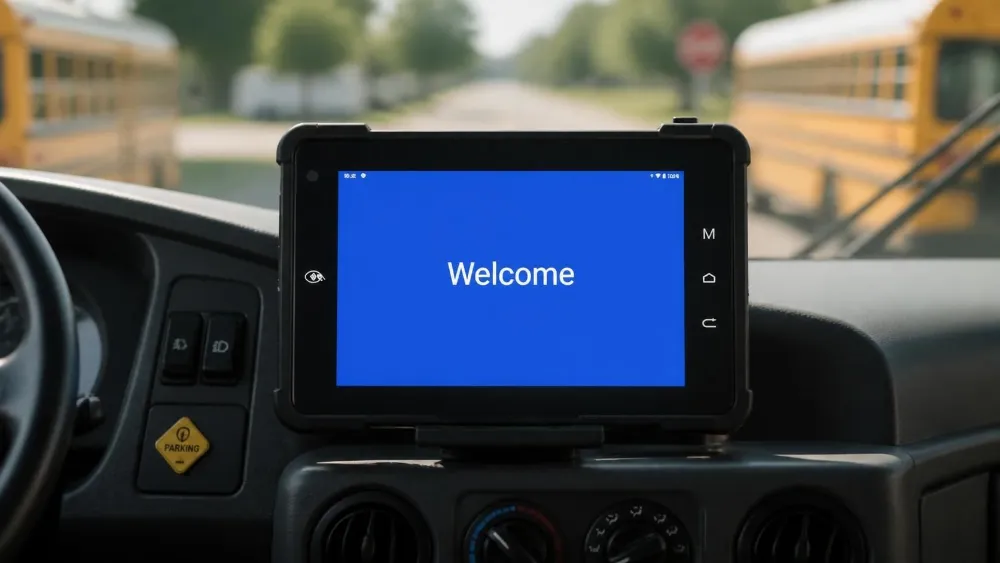
School bus operations face unique challenges that consumer tablets simply cannot handle. Every day, fleet managers juggle real-time student tracking, driver safety compliance, route optimization, and emergency response coordination—all while vehicles navigate potholes, temperature extremes, and constant vibration. A standard iPad or consumer Android device fails within months under these conditions. Rugged tablets, engineered for vehicle-mounted deployment, deliver the durability, connectivity, and compliance features that school districts desperately need.
This guide walks you through every critical factor in selecting the right rugged tablet for your school bus fleet, from durability certifications to total cost of ownership. Whether you’re managing 50 buses or 500, understanding these specifications will help you make procurement decisions that protect students, improve efficiency, and maximize your technology investment over a 5–7 year lifecycle.
Understanding School Bus Environments and Challenges
Extreme Conditions: Why Consumer Tablets Fail
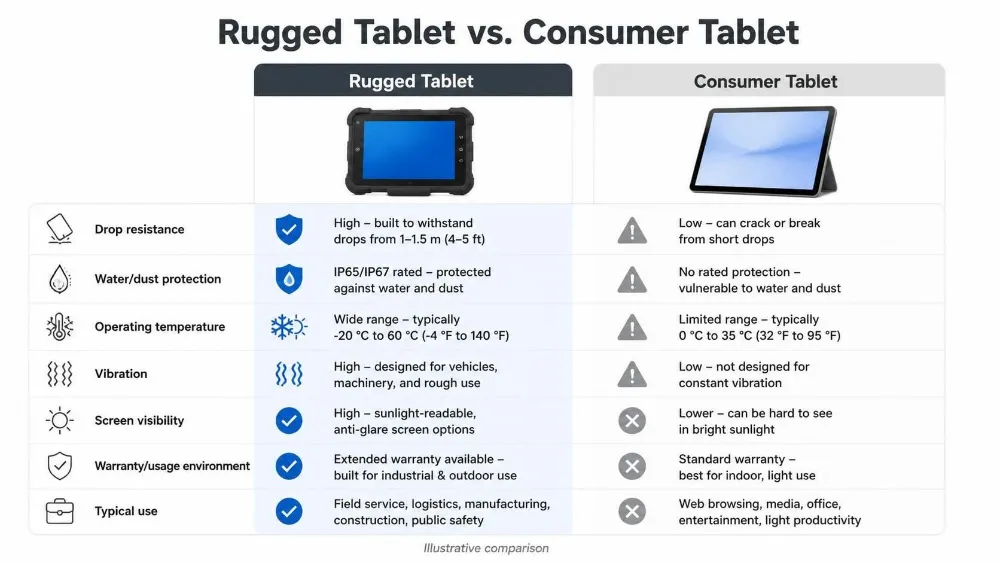
School buses operate in some of the harshest mobile environments. Vehicles experience constant vibration from road conditions, temperature swings from -20°C in winter to 60°C in summer (particularly when parked in sunlight), dust infiltration from open windows and door cycles, and liquid spills from student activity. Consumer tablets are designed for stationary office use or occasional mobile browsing—they feature thin aluminum casings, sealed battery compartments, and components optimized for weight rather than impact resistance.
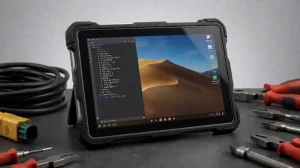
Within 12–18 months, consumer devices deployed on school buses typically experience screen cracks, power connector failures, button degradation, and battery swelling. The cost of replacing 200 failed tablets across a district can exceed the initial investment in rugged alternatives. Rugged tablets, by contrast, feature reinforced bezels, sealed I/O ports, wide-temperature components, and shock-absorbing mounting systems designed to survive decades of road punishment.
Key Pain Points in School Transportation
Current school bus operations rely heavily on manual processes. Drivers conduct pre-trip and post-trip vehicle inspections using paper checklists, then file them away—creating no digital audit trail and no accountability for maintenance issues. Student attendance is often tracked through manual roll calls or swipe cards that malfunction in cold weather. When a student misses the bus or doesn’t arrive home, communication delays mean parents may not know for hours. Emergency procedures rely on radio communications that are often unclear or delayed.
Rugged tablets eliminate these inefficiencies. Digital inspection checklists automatically flag maintenance needs, triggering service requests before breakdowns occur. RFID or NFC-enabled check-in systems provide real-time visibility into which students are aboard each bus. GPS tracking allows parents to monitor arrival times via mobile apps, and emergency alert systems can broadcast critical information to all vehicles simultaneously.
Regulatory and Safety Requirements
School districts operate under strict DOT (Department of Transportation) regulations regarding driver distraction, vehicle safety standards, and emergency response protocols. Additionally, student data is protected under FERPA (Family Educational Rights and Privacy Act) in the United States and equivalent regulations in the UK, Canada, and Australia. Any device deployed on a school bus must support encrypted data storage, secure authentication, and audit logging to remain compliant.
Rugged tablets designed for fleet use include MDM (Mobile Device Management) support, allowing IT administrators to enforce encryption policies, restrict app installation, and remotely wipe devices if lost. They also integrate with telematics systems that monitor driver behavior, detect harsh braking or acceleration, and generate compliance reports for district safety audits.
Core Durability and Ruggedness Specifications You Must Prioritize
IP Ratings and MIL-STD Certification
The most critical durability metric is the IP (Ingress Protection) rating. IP65 means the device is dust-tight and protected against water jets from any direction—suitable for outdoor use and wet environments like school bus interiors where students spill drinks and track mud. IP67 adds submersion protection (up to 1 meter for 30 minutes), and IP68 allows deeper submersion. For school buses, IP65 is the minimum acceptable standard; IP67 is preferable if budget allows.
MIL-STD-810H certification indicates the device has passed military-grade testing for shock, vibration, temperature extremes, and drop resistance. Specifically, MIL-STD-810H testing includes:
- Vibration resistance: Devices are subjected to 4–24 hours of continuous vibration across multiple frequency ranges, simulating years of road conditions.
- Drop testing: Units are dropped from 1.2 to 1.5 meters onto concrete, ensuring survival of accidental falls from driver seats or mounting brackets.
- Temperature cycling: Devices operate across -20°C to 70°C, with rapid temperature transitions to verify component integrity.
- Salt fog and humidity: Testing ensures corrosion resistance, critical for coastal school districts.
When evaluating tablets, confirm both the IP rating and the specific MIL-STD version. Older MIL-STD-810G is acceptable, but 810H represents the latest standard and includes more rigorous vibration and drop protocols.
Vibration, Shock, and Drop Resistance for Vehicle Use
Beyond certifications, examine the physical construction. Look for devices with reinforced corner bumpers (typically rubber or elastomer), recessed screen edges to prevent direct impact, and internal shock-absorbing frames. Some manufacturers use multi-layer bezels that distribute impact forces away from delicate components like the LCD panel and touch sensor.
Drop testing specifications matter more than marketing claims. A device tested to survive a 1.2-meter drop onto concrete has proven resilience; one with no published drop-test data is a risk. Ask manufacturers for third-party test reports, and request a demo unit to drop-test yourself before committing to a large fleet purchase.
Vehicle Docking Systems and Power Management
Rugged tablets designed for school buses require vehicle docking stations that provide stable 12V DC or 24V DC power, prevent projectile hazards in sudden braking or accidents, and enable easy insertion and removal for drivers. A quality docking system includes:
- Wide voltage input (9–36V) to accommodate battery voltage fluctuations and alternator ripple
- Ignition sensing: The tablet powers on when the ignition is turned on and enters sleep mode when the vehicle is off, reducing parasitic battery drain
- Secure mechanical locking: Prevents the tablet from sliding or ejecting during emergency maneuvers
- Connector redundancy: Multiple contact points ensure reliable power delivery even if one contact accumulates corrosion
Avoid docking systems with single-point power connections or suction-cup mounts—these are common failure points in school bus environments where vibration and temperature cycling degrade adhesives and connectors.
Display, Usability, and Driver-Centric Features
Sunlight-Readable High-Brightness Screens
School bus drivers spend 6–8 hours per day viewing their tablet screen while navigating routes, often in bright daylight. Standard consumer tablets with 300–500 nits brightness are nearly illegible in direct sunlight. Rugged tablets for school buses must deliver 800–1000+ nits brightness, with anti-glare coatings that reduce reflections without washing out colors.
IPS (In-Plane Switching) panels offer superior viewing angles compared to TN (Twisted Nematic) panels, ensuring the display remains readable even when viewed from the passenger seat or when the driver glances at the screen from an angle. Some premium models include variable brightness that adjusts based on ambient light, conserving battery while maintaining readability.
Screen Size and Ergonomic Placement
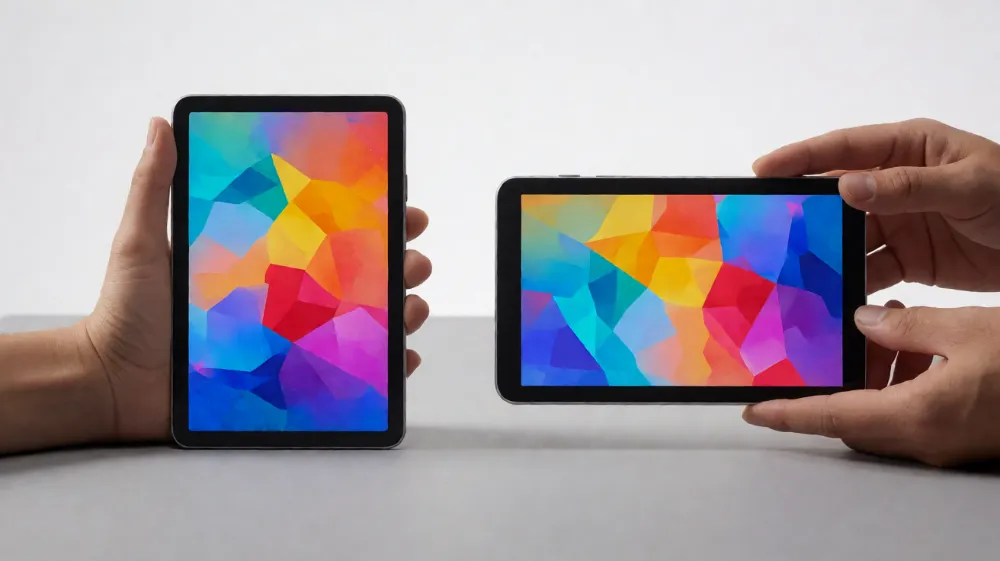
The ideal tablet size for school buses is 7–10.1 inches. A 7-inch tablet (roughly 180mm wide) fits neatly in a dashboard-mounted dock without obstructing the driver’s view of the road. Larger 10-inch tablets provide more screen real estate for navigation maps and student lists but risk becoming a distraction or obstruction.
Mounting position is equally important. The tablet should be positioned below the driver’s primary sightline, within arm’s reach for quick interactions (checking arrival times, responding to alerts), but not so close that it creates a blind spot. Many school districts prefer right-side dashboard mounting, keeping the tablet away from the steering column and pedals.
Physical Buttons and Accessibility
Rugged tablets for school buses should include physical volume and power buttons, not just touch-based controls. Drivers wearing gloves (common in winter) or with wet hands benefit from tactile buttons. Some models include a stylus or S Pen for precise interaction in bumpy conditions—particularly useful for digital signature capture on delivery confirmations or inspection checklists.
Accessibility features like voice commands and text-to-speech are essential for drivers who need to keep their eyes on the road. Devices running Android 14 or later support robust voice assistant integration, allowing drivers to ask for turn-by-turn directions or emergency alerts without taking their hands off the wheel.
Performance, Battery Life, and Power Management
Processor and RAM for Multitasking
School bus tablets must simultaneously run GPS navigation, real-time student tracking, telematics monitoring, and communication apps. A quad-core processor running at 2.0 GHz (such as Rockchip RK3568) with 3–4 GB of RAM provides smooth performance for these multitasking scenarios. Avoid tablets with entry-level processors or less than 2 GB RAM, as they will lag noticeably when loading maps or switching between apps—creating driver frustration and safety risks.
Storage capacity of 32–64 GB is sufficient for school bus applications, as most data (maps, student lists, telematics logs) is synced to cloud servers. Local storage primarily holds the operating system, core apps, and temporary cache.
All-Day Battery Life and Vehicle Power Solutions
A rugged tablet’s onboard battery (typically 5000–7000 mAh) provides 3–5 hours of continuous use when disconnected from vehicle power. However, school buses are powered during most operational hours, so the critical metric is the tablet’s ability to draw stable power from the vehicle’s electrical system.
The tablet should support 9–36V wide-voltage input, accommodating the 12V nominal system of most school buses (which fluctuates between 11V at startup and 14.5V when the alternator is charging). A quality power management circuit includes:
- Voltage regulation: Converts variable vehicle power to the stable 5V or higher-voltage required by the tablet’s internal components
- Overcurrent protection: Prevents damage if the vehicle’s electrical system experiences a surge or fault
- Hot-swap capability: Allows drivers to remove and reinsert the tablet without losing power to the system
Some advanced models include a small onboard battery that maintains power during the brief moment the tablet is removed from the dock, preventing data loss or app crashes.
Thermal Management in Parked Buses
School buses parked in summer sun can reach interior temperatures of 65–70°C, pushing tablets to their thermal limits. Devices without proper thermal management will throttle processor speed or shut down entirely to prevent overheating. Look for tablets with:
- Passive thermal design: Heat-spreading copper or aluminum layers that distribute heat away from sensitive components
- Ventilation: Small vents or thermal pathways that allow heat to dissipate without allowing dust infiltration
- Wide operating temperature range: Confirmed operation from -20°C to 70°C or higher
Test thermal performance by leaving a demo unit in a parked vehicle on a hot day and monitoring its performance. A quality rugged tablet will maintain full functionality; a marginal device will throttle or shut down.
Connectivity, Tracking, and Safety Features
GPS/GNSS and 4G/5G LTE for Real-Time Tracking
School bus tablets must deliver accurate GPS positioning even in challenging environments—urban canyons with tall buildings, tunnels, and dense tree cover. Devices supporting multiple GNSS constellations (GPS, GLONASS, Galileo, BeiDou) achieve faster satellite acquisition and more accurate positioning than GPS-only devices.
4G LTE is the current standard for school bus connectivity, providing reliable coverage across rural and urban areas. 5G is emerging but remains unavailable in many school districts; prioritize 4G LTE compatibility for broad coverage, with 5G as a future-proofing bonus.
Connectivity enables real-time parent notifications (bus arrival updates), driver-to-dispatch communication, and cloud syncing of telematics data. A device without cellular connectivity is severely limited—it can only function when tethered to a mobile hotspot, creating operational friction.
RFID/NFC and Student Ridership Management
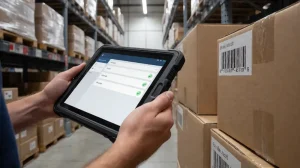
Modern school bus tablets integrate RFID or NFC readers for automated student check-in and check-out. Students tap their ID card (or a wristband with embedded RFID tag) when boarding and exiting the bus. The system automatically records their presence, generates a digital manifest, and alerts parents or school staff if a student is not aboard an expected bus.
This feature is particularly valuable for elementary school routes, where students are not yet independent travelers. If a student misses the bus, the system flags this within minutes, allowing school staff to contact parents before they become alarmed.
Tablets must support external RFID/NFC readers via USB or Bluetooth connectivity. Some rugged models include integrated NFC, eliminating the need for external hardware.
Telematics Integration and Driver Behavior Monitoring
Rugged tablets designed for commercial fleets integrate with telematics systems that monitor:
- Harsh acceleration and braking: Flagging aggressive driving that endangers students
- Speed compliance: Ensuring drivers stay within posted limits
- Route adherence: Confirming drivers follow approved routes
- Seatbelt use: Monitoring driver compliance with safety regulations
This data is transmitted to the school district’s fleet management platform, where supervisors can identify training opportunities, reward safe drivers, and investigate incidents.
CAN Bus and Vehicle Interface Compatibility
Some school buses (particularly newer models) support CAN Bus (Controller Area Network) connectivity, which allows tablets to read real-time engine diagnostics, fuel consumption, tire pressure, and brake status. This enables predictive maintenance—the tablet alerts the driver or maintenance team if a component is degrading, preventing breakdowns during routes.
CAN Bus integration requires tablets with built-in CAN interfaces or external CAN adapters. Verify compatibility with your specific school bus models before purchasing.
Operating System, Software Compatibility, and Integration
Android vs. Windows for School Fleets
Android dominates school bus deployments due to its lower cost, superior touch optimization, and robust MDM support. Android 14 (the current version as of 2026) includes enhanced security features, improved multitasking, and better integration with cloud services.
Windows tablets are rarely used in school bus applications. They excel in legacy environments where districts have existing Windows-based software (e.g., specialized fleet management platforms), but the higher cost, touchpad-heavy interface, and inferior battery life make them unsuitable for driver-facing applications.
Recommendation: Standardize on Android 14 tablets unless your district has specific legacy software requirements that mandate Windows.
MDM, Kiosk Mode, and App Ecosystem
Mobile Device Management (MDM) platforms like Google Workspace, Microsoft Intune, or third-party solutions allow IT administrators to:
- Deploy apps remotely: Push navigation, telematics, and communication apps to all tablets simultaneously
- Enforce security policies: Require encryption, strong passwords, and automatic screen locks
- Restrict functionality: Lock tablets into kiosk mode, preventing drivers from accessing non-work apps
- Monitor compliance: Track which devices have security patches installed and which are out of compliance
Kiosk mode is particularly valuable for school buses. It restricts the tablet to a single app (e.g., navigation or student tracking), preventing drivers from being distracted by social media or other non-essential applications.
Verify that any tablet you select supports your district’s preferred MDM platform and can be locked into kiosk mode.
Data Security and Student Privacy Compliance
School buses collect sensitive student data: names, addresses, attendance records, and in some cases, special needs information (dietary restrictions, medical conditions, emergency contacts). This data must be encrypted both in transit and at rest, and access must be logged for FERPA compliance.
Rugged tablets should support:
- AES-256 encryption: For data stored on the device
- TLS 1.2 or higher: For data transmitted between the tablet and school servers
- Biometric authentication: Fingerprint or face recognition, preventing unauthorized access if the tablet is lost
- Remote wipe capability: Allowing IT administrators to erase all data if a tablet is stolen
Confirm that your chosen tablet and MDM platform meet your district’s data protection requirements before deployment.
Total Cost of Ownership (TCO) and Procurement Tips
Initial Price vs. Long-Term Savings
Rugged tablets for school buses typically cost $800–$2,500 per unit, depending on specifications. This is 3–5 times the cost of a consumer tablet ($400–$600). However, the total cost of ownership over a 5–7 year lifecycle strongly favors rugged devices.
A consumer tablet deployed on a school bus typically fails within 18–24 months, requiring replacement. Over a 7-year period, you might replace a consumer tablet 3–4 times, totaling $1,200–$2,400 in hardware costs alone. Add support costs, data recovery, and operational disruption, and the true cost climbs to $2,000–$3,500 per bus.
A rugged tablet, by contrast, survives the full 7-year lifecycle with minimal maintenance. The total cost of ownership is typically $1,200–$1,800 per device, representing a 30–50% savings compared to consumer alternatives. Additionally, the reliability of rugged tablets reduces operational disruptions, preventing missed routes and safety incidents that have immeasurable costs.
Warranty, Support, and Customization Options
When procuring rugged tablets, evaluate warranty and support offerings:
- Hardware warranty: Look for 3-year or longer coverage, including accidental damage protection
- Software support: Confirm that the manufacturer will release security patches and OS updates for at least 5 years
- On-site support: Some vendors offer depot repair or even mobile repair services, minimizing downtime
- Customization: Verify that the manufacturer can pre-load your school’s apps, configure MDM settings, and brand the devices with your district’s logo
Negotiate these terms during procurement. Vendors are often willing to extend warranty periods or include customization at no additional cost when purchasing fleet quantities (50+ units).
Pilot Testing and Scaling Recommendations
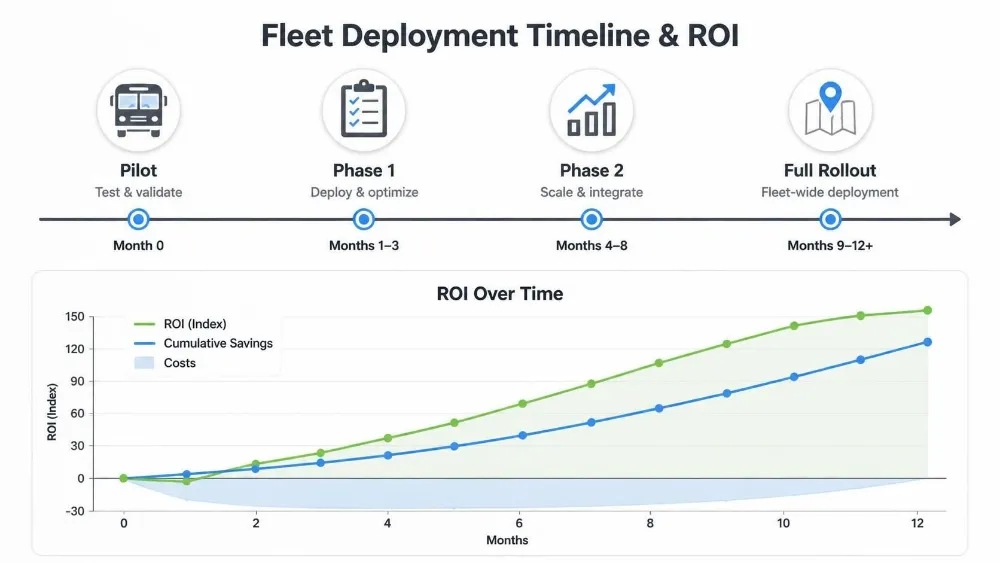
Before rolling out tablets across your entire fleet, conduct a pilot program on 10–20 buses. This allows you to:
- Validate integration: Test the tablets with your existing telematics, GPS tracking, and student management systems
- Assess driver adoption: Identify training gaps and refine driver workflows
- Measure performance: Collect real-world data on battery life, connectivity, and reliability
- Gather feedback: Allow drivers and dispatchers to suggest improvements before full-scale deployment
Plan a 4–6 week pilot period, then allocate 3–6 months for full-scale rollout. Rushing deployment without adequate testing risks widespread adoption failures and wasted budget.
Implementation Best Practices and Training
Step-by-Step Deployment Strategy
A successful tablet deployment follows this sequence:
- Prepare infrastructure (2–4 weeks): Install docking stations, configure vehicle power circuits, and set up MDM and cloud services
- Pre-load devices (1–2 weeks): Configure tablets with your district’s apps, MDM enrollment, and driver profiles
- Driver training (1–2 weeks): Conduct hands-on training sessions, covering basic navigation, student tracking, emergency procedures, and troubleshooting
- Pilot deployment (4–6 weeks): Roll out to 10–20 buses, monitor performance, and collect feedback
- Full-scale rollout (3–6 months): Deploy across the entire fleet in waves, allowing IT support to manage issues systematically
Driver and Staff Training for High Adoption
Drivers are the end-users of school bus tablets, and their buy-in is critical to success. Conduct comprehensive training that covers:
- Basic tablet operation: Powering on/off, screen navigation, and accessing key apps
- Navigation and route optimization: How the GPS system works, how to handle route changes, and how to respond to traffic alerts
- Student tracking and RFID check-in: How to conduct check-in/check-out, how to read the manifest, and how to respond to alerts
- Safety and emergency procedures: How to use the emergency alert button, how to contact dispatch, and how to preserve evidence in case of an incident
- Troubleshooting and support: When to restart the device, how to contact IT support, and what to do if the device malfunctions
Provide written guides and video tutorials for reference. Schedule refresher training annually to ensure drivers remain proficient and to introduce new features or policy updates.
Measuring ROI and Performance Improvements
Track these KPIs to quantify the impact of tablet deployment:
- On-time arrival rate: Percentage of buses arriving within 5 minutes of scheduled time (target: 95%+)
- Student attendance accuracy: Reduction in attendance discrepancies (target: 99%+ accuracy)
- Safety incident rate: Reduction in accidents, harsh braking events, or traffic violations (target: 20%+ reduction)
- Maintenance efficiency: Reduction in unplanned breakdowns or roadside repairs (target: 30%+ reduction)
- Driver satisfaction: Survey scores for ease of use and job satisfaction (target: 80%+ positive)
Publish these metrics to school leadership and drivers, demonstrating the value of the technology investment and building support for continued funding.
Top Recommendations and Feature Comparison
For school bus fleets, the Waysion Q777 and V7S models represent industry-leading options. The Q777 is a 7-inch IP65 tablet with Android 14, 4G LTE, GPS+GLONASS+BEIDOU, and integrated CAN bus support—ideal for fleets prioritizing vehicle integration and telematics. The V7S is purpose-built for public transit and school buses, with 4G/5G connectivity, dual GNSS, and automated fare collection (AFC) support for districts managing student payment systems.
Both models include:
- Docking stations: Secure mounting with 9–36V vehicle power and ignition sensing
- MDM support: Full integration with Google Workspace and other fleet management platforms
- High-brightness displays: 800+ nits for sunlight readability
- Rugged construction: IP65 rating, MIL-STD-810H certification, and 1.2m drop testing
- Extended warranty: 3+ year coverage with optional on-site support
Emerging Technologies and Future Trends
As of 2026, several emerging technologies are reshaping school bus operations:
- AI-powered predictive maintenance: Machine learning algorithms analyze engine telemetry to predict component failures before they occur, reducing downtime and repair costs
- 5G connectivity: Enabling real-time video streaming from onboard cameras, supporting advanced safety analytics and incident documentation
- Edge computing: Processing telematics and video data locally on the tablet, reducing reliance on cloud connectivity and improving responsiveness
- Advanced driver monitoring: Facial recognition and eye-tracking systems detect driver fatigue or distraction, triggering alerts to prevent accidents
When selecting tablets, consider future-proofing by choosing devices with:
- Sufficient processing power (quad-core or better) to support AI and edge computing workloads
- Camera support: Integration with onboard video systems for safety and incident analysis
- 5G readiness: Devices that support 5G even if your district currently uses 4G LTE
FAQ
What makes a tablet rugged enough for school buses?
Look for IP67+ sealing, MIL-STD-810H certification, wide-temperature operation (-20°C to 70°C), and vehicle-grade vibration resistance. Consumer tablets fail quickly due to road shocks, temperature extremes, and dust infiltration. Rugged tablets feature reinforced bezels, sealed ports, and shock-absorbing mounting systems designed for 5–7 year lifespans.
How do rugged tablets improve student safety on school buses?
Through RFID/NFC automated ridership tracking, real-time GPS location sharing with parents, emergency alerts, and digital pre/post-trip inspections to ensure no child is left behind. Tablets also enable driver behavior monitoring, flagging harsh acceleration or braking that endangers students.
Android or Windows for school bus rugged tablets?
Android is preferred for school bus fleets due to lower cost, superior touch optimization, and robust MDM support. Windows tablets are rarely used in school applications unless districts have legacy software requirements.
What is the average cost of rugged tablets for school bus fleets?
$800–$2,500 per unit depending on specs. However, factor in total cost of ownership: rugged models last 5–7 years vs. 2–3 years for consumer tablets, yielding 30–50% savings long-term. A consumer tablet might require 3–4 replacements over 7 years, totaling $1,200–$2,400 in hardware alone.
Do school bus tablets need vehicle docking stations?
Yes. Secure docks provide stable power (9–36V), prevent projectiles in accidents, and enable easy insertion/removal. Quality docking systems include ignition sensing (powering the tablet on/off with the vehicle), connector redundancy, and mechanical locking to prevent ejection during emergency maneuvers.
How can districts integrate tablets with existing student transportation software?
Choose devices supporting open APIs, 4G/5G connectivity, and popular platforms for GPS tracking, attendance, and telematics. Verify MDM compatibility with your IT infrastructure and request integration testing during the pilot phase.
What features help with driver efficiency and compliance?
Turn-by-turn navigation, digital checklists (replacing paper inspections), behavior monitoring (detecting harsh braking), and one-touch emergency communication. Real-time route optimization reduces fuel consumption and improves on-time performance.
Are there specific regulations for devices on school buses?
Yes—check local DOT rules on dashboard distractions, data privacy (FERPA in the US, GDPR in Europe), and accessibility standards. Tablets must support encrypted data storage, secure authentication, and audit logging for compliance.
How long does a rugged tablet typically last on a school bus?
With proper maintenance and thermal management, 5–7 years. This is 2–3 times longer than consumer tablets, which typically fail within 18–24 months in vehicle environments.
What’s the difference between IP65 and IP67 ratings?
IP65 is dust-tight and protected against water jets (suitable for school buses). IP67 adds submersion protection (up to 1 meter for 30 minutes), providing extra durability in wet environments. For school buses, IP65 is the minimum; IP67 is preferable if budget allows.
Conclusion
Selecting the right rugged tablet for your school bus fleet is a strategic investment in student safety, operational efficiency, and long-term cost management. By prioritizing durability certifications (IP65+, MIL-STD-810H), vehicle-grade connectivity (4G LTE, GPS, CAN bus), and driver-centric features (high-brightness displays, physical buttons, intuitive navigation), you ensure that your fleet operates reliably across years and seasons.
The initial cost premium of rugged tablets—$800–$2,500 per unit—is recovered within 3–4 years through reduced replacement costs, fewer operational disruptions, and improved safety metrics. Combined with comprehensive driver training and a structured rollout plan, rugged tablets transform school bus operations from paper-based, reactive processes to data-driven, proactive systems that keep students safe and on schedule.
Start with a pilot program on 10–20 buses, validate integration with your existing systems, and measure performance improvements before full-scale deployment. This approach minimizes risk, builds staff confidence, and ensures your district maximizes the return on this critical technology investment.
Tags: Coming ATA MCE 2019, School bus tablet