OEM 7–10 Inch Rugged Android MDT Manufacturers and Suppliers: What to Verify Before You Buy
A rugged mobile data terminal is not just a screen in a tougher enclosure. It is the point where drivers, vehicle electronics, business applications, and remote operations meet. Choosing its manufacturer means evaluating that entire connection—not simply comparing processors and prices.
What should buyers prioritize? Select an OEM rugged Android MDT supplier that can document integration: the correct display size, vehicle power behavior, environmental test conditions, Android maintenance plan, and working interfaces for your application. A credible offer connects every important requirement to a deliverable, a test, or a contractual commitment.
What is a rugged Android MDT?
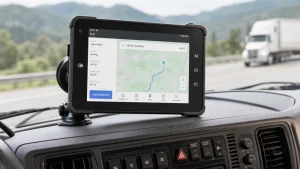
A rugged Android mobile data terminal, or MDT, is an industrial computing device used to present information, capture operator input, and exchange data with other systems. In a vehicle deployment, those systems may include dispatch software, GNSS positioning, cameras, fare equipment, or an external telematics gateway.
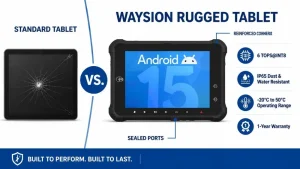
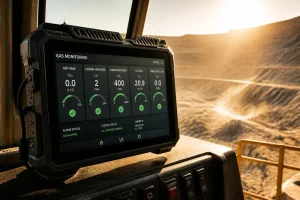
For example, Waysion’s published rugged tablet portfolio includes Android terminals with CAN Bus, serial communication, cellular connectivity, and vehicle-oriented power options. These capabilities vary by model and configuration; the product family should not be treated as one universal specification.
Manufacturer, supplier, or integration partner?
Procurement labels alone are not enough. Ask which organization controls the hardware design, Android firmware, production testing, and repairs. Then identify who will implement your application, approve vehicle wiring, and support the deployed system.
An OEM or ODM arrangement should explicitly allocate those responsibilities. Branding a standard tablet and developing a custom vehicle terminal are different projects, with different engineering costs and risks.
7-inch, 8-inch, or 10.1-inch: choose the workflow first
Screen size should follow the operator’s task and the installation geometry. Start with a dashboard mock-up, the real application interface, and a review of sightlines and controls. Do not assume a larger display automatically produces a better in-cab experience.
| Display class | Workflow to evaluate | Installation questions |
|---|---|---|
| 7-inch | Focused dispatch, driver identification, task confirmation, and compact transit interfaces. | Are buttons readable at the installed distance? Does the mount preserve visibility and access to controls? |
| 8-inch | Mixed navigation, vehicle information, camera views, and application switching. | Can the operator complete frequent tasks without excessive menus or small touch targets? |
| 10–10.1-inch | Larger maps, inspection forms, equipment dashboards, and more detailed operator interfaces. | Does the cabin accommodate the enclosure, connectors, cable bend radius, and mount movement? |
“10-inch” is a product category, not an exact dimensional specification
Waysion lists the WT10RX with a 10.1-inch, 1200 × 1920 display. When comparing a 10-inch rugged Android tablet supplier, request the exact diagonal, aspect ratio, enclosure drawing, orientation, and active display area—not just the marketing size.
Ruggedness claims need test conditions, not just badges
IP protection addresses enclosure ingress
The International Electrotechnical Commission explains that IEC 60529 grades enclosure protection against the intrusion of solids and liquids. The first IP numeral concerns solid objects; the second concerns liquids. Read the IEC explanation of IP ratings.
That distinction matters when sourcing an IP65 rugged Android tablet for vehicle use: an ingress rating does not, by itself, establish vibration endurance, vehicle electrical protection, display readability, or resistance to every cleaning chemical.
Ask for evidence tied to the supplied assembly
- Identify the exact model, hardware revision, and tested configuration.
- Confirm whether ports require closed covers or attached mating connectors.
- Request the test report and its acceptance criteria, not only a certificate image.
- Check whether the dock, cable assembly, and mounting arrangement were included.
- For shock and vibration claims, request methods, severities, duration, and operating state.
Buy the tested configuration—not the broadest claim on the specification sheet.
Treat operating temperature the same way. Ask whether the published range applies while charging, at full display brightness, with the selected wireless modem, and under the intended application load. Record any performance limitations in the acceptance specification.
Vehicle power and CAN Bus deserve their own evaluation
For an OEM vehicle-mounted Android tablet, connector availability is only the beginning. The integration review should establish electrical compatibility, software access, harness design, and behavior when the vehicle starts, stops, loses connectivity, or remains parked.
| Subsystem | Ask the supplier | Validate in the pilot |
|---|---|---|
| Vehicle power | Input range, ignition sensing, shutdown delay, standby current, and documented transient protection. | Start-up, crank events, repeated ignition cycles, parked operation, and recovery after power loss. |
| CAN Bus | Channel count, supported bit rates, isolation options, termination requirements, and Android API access. | Read the required messages on the target vehicle using the approved wiring and gateway architecture. |
| J1939 integration | Included protocol support, available parameter decoding, licensing, and customer engineering responsibilities. | Confirm the required parameters exist and remain reliable across representative vehicles. |
| Serial and cameras | RS232 versus RS485, pin assignments, camera signal format, supported resolutions, and SDK availability. | Test the actual reader, printer, controller, or camera—not a substitute demonstration peripheral. |
| Cellular and GNSS | Regional bands, antenna options, carrier requirements, and positioning configuration. | Route coverage, reconnection, antenna placement, and application behavior without a network. |
A CAN connector is not a complete vehicle-data solution
Specify whether your application needs raw CAN frames, a J1939 software interface, decoded vehicle parameters, or integration through a separate gateway. These are different deliverables. Agree on permitted read/write behavior with the vehicle integration team before deployment.
Android customization must include a maintenance agreement
A custom rugged Android MDT project should define what happens after the first successful demonstration. Put firmware ownership, update responsibilities, application compatibility, and support duration into the commercial discussion—not only the engineering meeting.
Define the software baseline
- Exact Android version, build identifier, and security patch level.
- Google Mobile Services availability for the supplied configuration, if required.
- Kiosk behavior, application permissions, and device-management compatibility.
- SDKs and sample code for CAN, serial ports, GPIO, and ignition events.
Define the lifecycle obligations
- Security-update cadence and the date support ends.
- OTA delivery, update validation, recovery, and rollback arrangements.
- Hardware change notifications and application regression testing.
- Replacement availability, repair terms, and spare-accessory planning.
Do not infer these commitments from an Android version number. Ask the supplier to confirm them for your order, particularly when custom firmware or long-term industrial tablet supply is involved.
Is a rugged Android tablet automatically ELD compliant?
No. An Android MDT can be part of an electronic logging device solution, but the tablet alone does not establish compliance. FMCSA describes its official ELD list as devices registered with the agency and self-certified by their providers as compliant with the ELD rule. Check FMCSA’s official ELD resources and registered-device list.
For a rugged Android tablet for ELD applications, identify the exact ELD provider, listed solution, software version, engine-data connection, and supported hardware configuration. Verify the current registration status during procurement rather than relying on an “ELD-ready” label.
Procurement distinction: “suitable hardware for an ELD integration” and “a currently registered, provider-self-certified ELD solution” are not interchangeable claims.
Three starting points for a custom rugged Android MDT project
Waysion’s published portfolio provides options across compact vehicle terminals and larger industrial displays. The following cards summarize selected manufacturer-listed specifications, not independent performance testing or a guarantee that every option is included in every order.
Waysion V7S
A starting point for a compact Android vehicle terminal project requiring vehicle communication and industrial interfaces.
- Android 14 and RK3568 platform.
- IP65 enclosure rating.
- Published interfaces include CAN Bus, serial communication, and Ethernet.
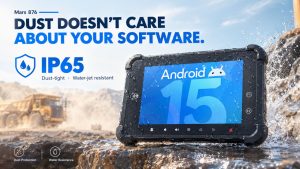
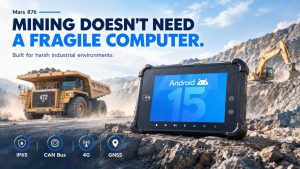
Waysion Mars 876
An Android platform to evaluate when the project combines vehicle interfaces with local processing or camera integration.
- RK3576 processor with Android 15.
- Manufacturer-listed 6 TOPS AI acceleration.
- IP65; CAN Bus, RS232/RS485, GPIO, and RJ45.
- Published support for four AHD cameras and 9–36V input with docking station.
Validate model compatibility, runtime support, and sustained performance with your actual AI workload.
Waysion WT10RX
A larger-display candidate for industrial applications requiring more detailed forms, maps, or equipment information.
- RK3588 platform and Android 12.
- 10.1-inch, 1200 × 1920 display.
- Published brightness up to 1000 nits.
- Listed interfaces include Type-C, RS232, RS485, RJ45, and HDMI.
Confirm mounting, vehicle power accessories, environmental qualification, and lifecycle support for the intended installation.
Product specification source: Waysion rugged vehicle tablet range . Confirm the final bill of materials, options, accessory requirements, and current datasheet before purchase.
How to qualify an OEM rugged Android MDT supplier
Use a staged evaluation rather than moving directly from a brochure to a volume order. Each stage should reduce a different kind of uncertainty.
-
Write a measurable requirements brief
Define screen size, cabin layout, target Android application, operating environment, vehicle voltage, interfaces, countries, expected order volume, and service-life expectations.
-
Request an engineering evidence pack
Ask for the current datasheet, dimensional drawing, connector pinout, SDK documentation, environmental reports, firmware baseline, and a list of standard versus optional features.
-
Price the complete deliverable
Separate terminal cost from docks, mounts, harnesses, antennas, software work, tooling, testing, freight, and spares. Confirm minimum order quantity, non-recurring engineering charges, lead time, and ownership of custom work.
-
Run a representative vehicle pilot
Test the production-intent configuration on the intended vehicle types. Include ignition cycling, network loss, application recovery, operator usability, cable retention, and thermal behavior.
-
Freeze the approved baseline
Record the hardware revision, firmware build, accessories, acceptance results, support obligations, and component-change process before authorizing production.
Compare lifecycle cost—not an unsupported savings percentage
Build your own cost model using hardware, integration, installation, connectivity, maintenance, repairs, replacement stock, and downtime. Use pilot results and supplier quotations rather than generic claims about failure rates or return on investment.
OEM rugged Android MDT FAQ
What should an RFQ for a 7–10 inch rugged Android MDT include?
Include the application, exact screen requirements, vehicle installation, power input, required interfaces, connectivity regions, environmental conditions, Android management needs, order quantities, customization scope, and expected support period. Ask suppliers to flag every exception.
Can an OEM Android MDT support private-label branding and custom firmware?
Make branding and firmware changes explicit RFQ items. Request separate confirmation for enclosure branding, boot graphics, preinstalled applications, kiosk configuration, interface access, update support, engineering charges, and minimum order quantities. Do not assume every model supports every customization.
Is IP65 enough for a forklift or outdoor vehicle tablet?
An ingress rating addresses only part of the requirement. Evaluate the actual exposure to water and dust alongside vibration, temperature, cleaning, mounting, electrical conditions, and operator usability. Request evidence for the complete installed configuration.
How do I evaluate a rugged Android MDT with CAN Bus and J1939?
Confirm the electrical interface, available Android API, included protocol functionality, supported vehicle messages, and licensing. Then demonstrate the required data on the target vehicle using the approved harness and application.
Does a higher AI TOPS rating guarantee better fleet application performance?
No procurement decision should rely on that number alone. Benchmark the intended model and application with the proposed runtime, camera inputs, thermal conditions, and latency requirements. Request measured results for that workload.
A useful supplier conversation starts with your vehicle and workflow
For a Waysion OEM evaluation, prepare your screen-size preference, vehicle type, Android application requirements, interface list, deployment regions, and expected quantities. Use that brief to establish the right platform, identify customization work, and agree on a production-intent sample for validation.
This guide provides procurement and integration considerations. It does not replace project-specific engineering validation, laboratory reports, or applicable regulatory requirements.
Tags: 10 inch rugged Android tablet supplier, 7 inch rugged Android tablet for fleet management, 8 inch vehicle mounted Android tablet with CAN Bus, custom Android mobile data terminal for vehicles, OEM rugged Android MDT manufacturers