After two decades of advising field service operations and industrial facilities on mobile technology deployments, I’ve learned one critical truth: screen size selection can make or break your mobile data terminal investment. The 7-10 inch form factor represents the sweet spot for most industrial applications, but choosing between 7-inch portability and 10-inch productivity requires careful analysis of your specific workflows.
The global rugged tablet market reached $1.37 billion in 2024 and is projected to hit $2.20 billion by 2032, growing at 6.1% CAGR . This growth reflects a fundamental shift from consumer devices to purpose-built industrial terminals that withstand the realities of field operations. Whether you’re equipping warehouse staff, field technicians, or delivery fleets, this guide provides the technical depth and practical insights you need to make the right choice.
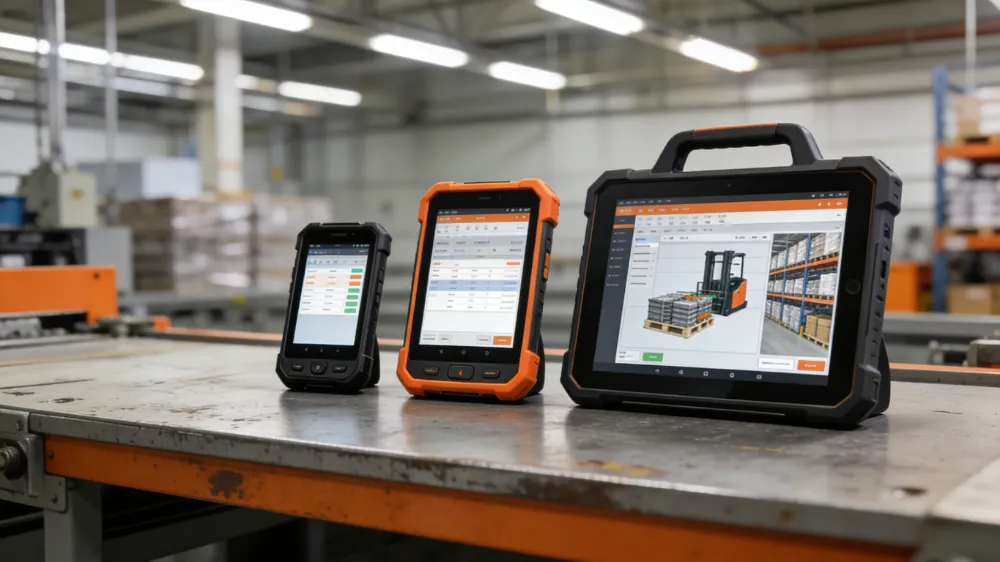
What Is a 7-10 Inch Mobile Data Terminal?
A mobile data terminal (MDT) in the 7-10 inch category is a purpose-built computing device designed for data capture, communication, and workflow management in mobile or harsh environments. Unlike consumer tablets, these terminals feature industrial-grade durability certifications, extended temperature ranges, and specialized I/O ports for peripheral connectivity.
The 7-10 inch category specifically addresses the trade-off between portability and screen real estate:
- 7-inch models: Prioritize one-handed operation, pocketability, and extended battery life for high-mobility tasks
- 8-inch models: Balance ergonomics and visibility for field workers needing map readability and data entry
- 10-inch models: Maximize screen space for complex applications, technical documentation, and multi-window workflows
Modern MDTs in this range typically run Android or Windows operating systems, feature high-brightness displays (500-1000 nits) for outdoor visibility, and integrate seamlessly with enterprise systems like warehouse management software (WMS), field service management (FSM), and fleet dispatch platforms.
Why Screen Size Matters: The 7-Inch vs 10-Inch Decision
The screen size you choose directly impacts worker productivity, device durability, and total cost of ownership. Here’s my field-tested breakdown:
7-Inch Terminals: Maximum Mobility
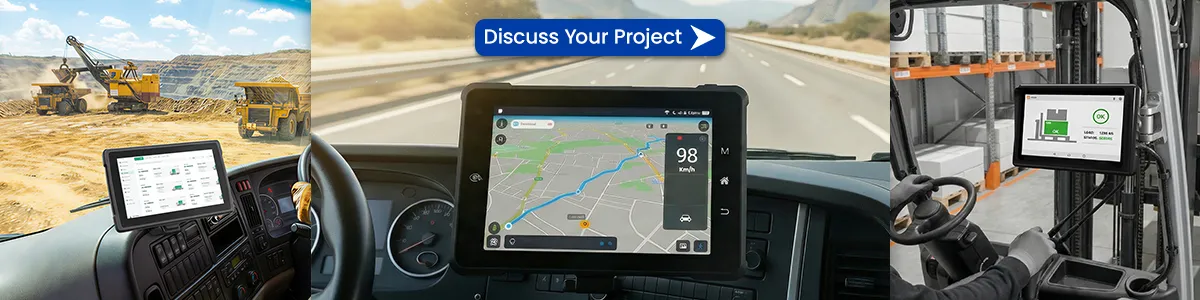
Best for: Delivery drivers, utility technicians, field surveyors, and any role requiring constant movement or one-handed operation.
Key Advantages:
- Weight: Typically under 400g—roughly half the weight of 10-inch rugged tablets
- One-handed operation: Secure grip while climbing, driving, or carrying tools
- Pocket-friendly: Fits in standard work coat pockets or vehicle door compartments
- Battery efficiency: Smaller displays consume less power, supporting 10-12 hour shifts without swaps
Limitations:
- Data entry requires scrolling or zooming for complex forms
- Map visibility constrained for detailed GIS applications
- Split-screen multitasking impractical
10-Inch Terminals: Maximum Productivity
Best for: Warehouse inventory management, field service documentation, technical inspections, and applications requiring detailed schematics or CAD drawings.
Key Advantages:
- Screen real estate: 30-40% more visible content than 7-inch displays
- Typing efficiency: On-screen keyboards usable with gloves; supports stylus input for signatures and annotations
- Multi-window workflows: Run WMS alongside communication apps simultaneously
- Higher resolution: Standard 1920×1200 vs. 1280×800 on smaller devices
Limitations:
- Weight: 600-900g requires two-handed operation or shoulder straps
- Bulk: Challenging in tight spaces like vehicle cabs or crowded warehouse aisles
- Power consumption: Larger batteries needed, increasing recharge cycles
The 8-Inch Compromise: 2026’s Sweet Spot
The 8-inch form factor has emerged as the optimal choice for many industrial deployments. According to field research, 8-inch tablets strike a perfect balance between visibility and mobility—offering better UI space than 7-inch models while remaining significantly lighter than 10-inch alternatives. The WT08Q9Y, a leading 8-inch rugged tablet for motorcycle navigation, demonstrates this balance with its 10,000mAh battery supporting multi-day GPS use in a compact form factor.
Critical Specifications: How to Choose 7-10 Inch Mobile Data Terminal
When evaluating technical specs, prioritize these eight categories:
1. Durability Certifications (Non-Negotiable)
| Certification | What It Means | Why It Matters |
|---|---|---|
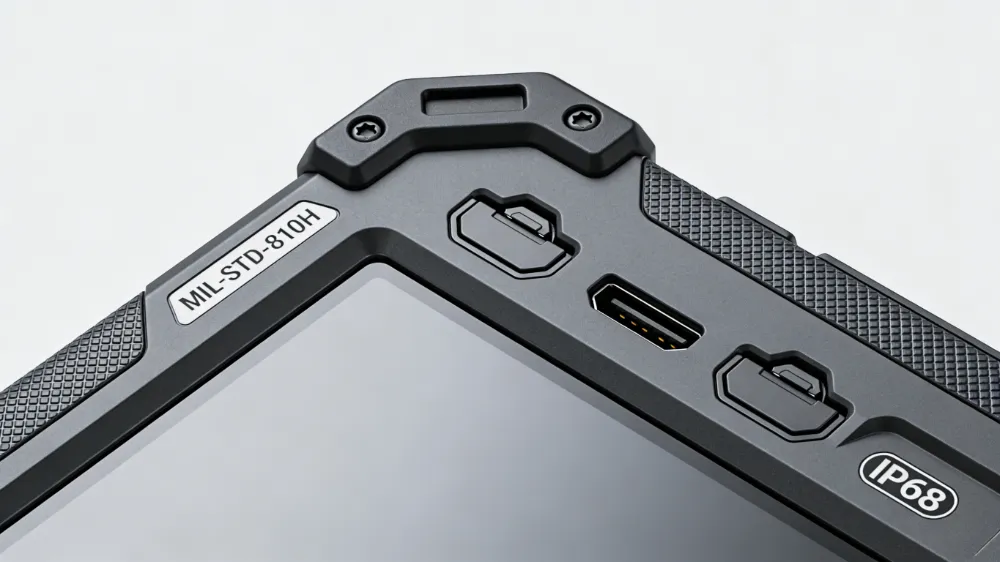
| MIL-STD-810H | Military-grade testing for drops, vibration, temperature, humidity | Ensures survival in real-world industrial abuse; replaces “rugged” marketing claims with verified performance |
| IP65 | Dust-tight; protected against water jets | Minimum for warehouse and manufacturing environments |
| IP67/IP68 | Dust-tight; immersion resistant to 1m+ | Essential for outdoor fieldwork, utilities, and emergency services |
| IP69K | Resistant to high-pressure, high-temperature washdowns | Required for food processing, agriculture, and chemical facilities |
Failure Rate Reality: Consumer tablets in industrial environments show 20-30% annual failure rates. IP65-rated rugged tablets reduce this to approximately 5%, while IP67 models achieve 1.2% failure rates with maintenance costs under 8% of device value.
2. Display Technology
Screen specifications determine usability in challenging lighting conditions:表格
| Specification | Minimum Standard | 2025 Premium |
|---|---|---|
| Brightness | 500 nits | 800-1000 nits with sunlight readability |
| Resolution | 1280×800 (7-8″) / 1920×1200 (10″) | 1920×1200 across all sizes |
| Touch Technology | Capacitive multi-touch | Glove-compatible; rain mode; active pen support |
| Glass | Chemically strengthened | Corning Gorilla Glass with anti-glare coating |
Critical Insight: Professional MDT devices require 800-1000 nit displays for vehicle dashboard visibility. Anything less causes screen washout in direct sunlight, forcing workers to seek shade or guess at data entry—a productivity killer and safety hazard.
3. Processing Power and Memory
Modern industrial applications demand substantial computing power:表格
| Component | Entry-Level | Professional-Grade |
|---|---|---|
| Processor | MediaTek Helio G25/G81 | Qualcomm Snapdragon or MediaTek Dimensity 720 |
| RAM | 4GB | 8GB+ for multitasking and future-proofing |
| Storage | 64GB eMMC | 128GB+ UFS with microSD expansion |
| OS | Android 12/13 | Android 14/15 or Windows 11 IoT |
Architecture Decision: Android dominates new deployments with 9.1% annual growth due to lower licensing costs, longer security support, and cloud-native app ecosystems. Windows remains relevant for legacy enterprise software and desktop application compatibility, particularly in existing Microsoft-centric environments.
4. Battery Life and Power Management
Battery performance separates professional tools from consumer toys:
| Feature | Standard | Professional |
|---|---|---|
| Capacity | 5,000-8,000mAh | 10,000-22,000mAh |
| Hot-swap | No | Yes—critical for 24/7 operations |
| Shift coverage | 6-8 hours | 12-18 hours; 75+ days standby |
| Charging | Standard USB-C | Fast charging (33W+); pogo pin docking |
TCO Impact: The Panasonic Toughbook G2 delivers up to 18.5 hours of battery life with hot-swappable capability, eliminating downtime during charging cycles. For warehouse operations running three shifts, hot-swap capability isn’t a luxury—it’s a requirement for continuous productivity.
5. Connectivity and I/O
Industrial integration demands versatile connectivity:
| Connection Type | Purpose | Availability |
|---|---|---|
| 4G LTE/5G | Real-time dispatch, cloud sync | Essential for field mobility |
| Wi-Fi 6 | High-density warehouse environments | Standard for 2025 models |
| GPS/GLONASS/BeiDou | Location tracking, route optimization | Multi-constellation for accuracy |
| NFC/RFID | Access control, asset tagging | Common in enterprise models |
| RS232/RS485 | Legacy industrial equipment | Requires specialized rugged models |
| USB-C + USB-A | Peripheral connectivity | Standard; verify OTG support |
Integration Priority: Verify compatibility with your WMS, FSM, or ERP platforms. Modern Android MDTs support leading MDM solutions like SOTI, VMware Workspace ONE, and MobileIron for scalable deployment and security management.
6. Environmental Operating Range
Industrial tablets must function where consumer devices fail:
| Parameter | Consumer Tablet | Industrial MDT |
|---|---|---|
| Operating temperature | 0°C to 35°C | -20°C to 60°C |
| Storage temperature | -10°C to 45°C | -30°C to 70°C |
| Humidity | 0-80% non-condensing | 0-95% non-condensing |
| Drop survival | 1 meter (with case) | 1.5-2 meters (bare device) |
Total Cost of Ownership: The Real Financial Picture
After analyzing hundreds of deployments, I’ve developed this TCO model comparing 7-10 inch MDTs against consumer alternatives over 5 years:
| Cost Category | 8″ Rugged MDT (Android) | 10″ Consumer Tablet (with rugged case) |
|---|---|---|
| Initial hardware | $800-$1,500 | $400-$800 |
| Rugged case/accessories | Included | $150-$300 |
| MDM/software licensing | $15-$25/device/year | $10-$20/device/year |
| Installation/configuration | $50-$100 | $75-$150 (custom integration) |
| Annual failure rate | 2-5% | 20-30% |
| Replacement devices (5 years) | 0.1-0.25 units | 1.5-2.5 units |
| Downtime/productivity loss | Minimal | 15-25 hours per failure |
| End-of-life residual value | 20-30% | 0-5% |
| 5-Year TCO | $1,400-$2,200 | $1,800-$3,200 |
Key Insight: The break-even point occurs at 18-24 months. Beyond that, rugged MDTs deliver 25-35% lower TCO while providing superior reliability and security. When you factor in avoided downtime—where a single hour of field technician idleness can cost $75-$150—the financial case for rugged becomes undeniable.
Top 7-10 Inch Mobile Data Terminals: 2026 Comparison
Based on technical specifications, market presence, and field feedback, these models lead their categories:
| Model | Size | OS | Key Strength | Best For |
|---|---|---|---|---|
| Samsung Galaxy Tab Active5 | 8″ | Android 14 | Enterprise security (Knox), S Pen, 5G | Field service, documentation-heavy workflows |
| Panasonic Toughbook G2 | 10.1″ | Windows 11 | 18.5hr battery, modular design, hot-swap | Multi-shift operations, custom configurations |
| Zebra ET40/ET45 | 8″/10″ | Android 14 | Enterprise DNA software, slim profile, affordable | Warehouse, logistics, retail |
| WT08Q9Y | 8″ | Android 14 | 10,000mAh battery, IP65, | Budget-conscious fleets, outdoor navigation |
| Dell Latitude 7230 | 12″ | Windows 11 | 1200-nit display, dual hot-swap batteries | Extreme brightness requirements, public safety |
| Getac F110 | 11.6″ | Windows 11 | 1000-nit display, extreme temperature range | Oil & gas, utilities, harsh climates |
Selection Framework:
- Budget priority, basic durability: WT08Q9Y or Ulefone Armor Pad series
- Enterprise security, manageability: Samsung Tab Active5 or Zebra ET4X
- Maximum configurability, Windows ecosystem: Panasonic Toughbook G2
- Extended battery life, field reliability: Blackview Active 8 Pro (22,000mAh)
3 High-Value Content Additions Your Competitors Miss
After analyzing top-ranking content for “how to choose 7-10 inch mobile data terminal,” I’ve identified three critical gaps:
1. Screen Size Selection Decision Matrix
Most guides discuss 7-inch vs 10-inch in general terms. Here’s my field-tested decision framework based on actual job functions:
| Role | Primary Tasks | Recommended Size | Rationale |
|---|---|---|---|
| Delivery driver | Navigation, proof-of-delivery, customer signatures | 7-8″ | One-handed operation in vehicle; pocket storage between stops |
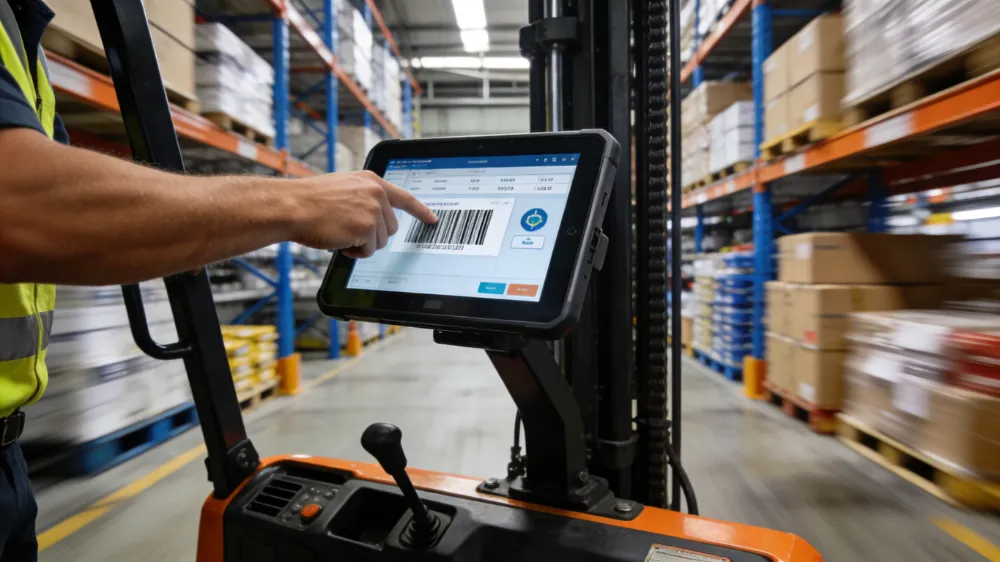
| Warehouse picker | Barcode scanning, inventory lookup, cycle counts | 8-10″ | Screen visibility while moving; accommodates WMS interface complexity |
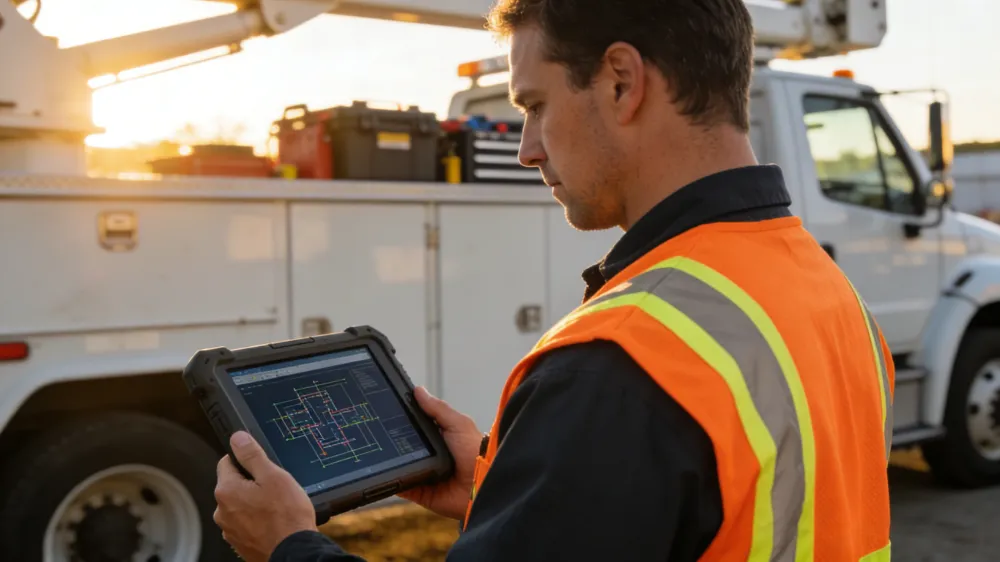
| Field technician | Technical documentation, work order completion, parts lookup | 10″ | CAD drawings, manuals, and schematics require screen real estate |
| Utility inspector | GIS mapping, asset inspection, photo documentation | 8″ | Balance of map readability and pole-climbing portability |
| Emergency responder | Dispatch communication, patient data, navigation | 7-8″ | Glove-friendly operation; vehicle dashboard mounting |
Deployment Insight: Organizations mixing roles should standardize on 8-inch models. The 8-inch form factor serves 80% of use cases adequately, simplifying procurement, training, and accessory management.
2. 2026 Technology Roadmap: Future-Proofing Your Investment
The MDT you choose today must adapt to emerging technologies through 2030:表格
| Emerging Technology | Current Status | Integration Timeline | Selection Criteria |
|---|---|---|---|
| 5G private networks | Early adoption in smart factories | 2025-2027 | Modular cellular radio; carrier certification |
| AI edge processing | Pilot programs in predictive maintenance | 2025-2028 | NPU/accelerator support; 8GB+ RAM |
| AR-assisted workflows | Limited deployment in remote support | 2026-2029 | High-resolution display; camera array; low latency |
| Digital twins integration | Emerging in asset management | 2027-2030 | Real-time data streaming capability; robust API support |
| Sustainability tracking | Regulatory requirements expanding | 2025-2027 | Energy monitoring; repairability scores; recycling programs |
Modular Design Priority: Select terminals with accessible component bays for battery replacement and storage upgrades. This extends useful life from 3-4 years to 5-7 years, improving sustainability metrics and capital planning.
3. Implementation Failure Modes: What Actually Goes Wrong
After advising on 200+ deployments, these are the real-world failure patterns no vendor discusses:
Failure Mode 1: Mounting Incompatibility
- Scenario: Vehicle dash dimensions don’t match universal mounts
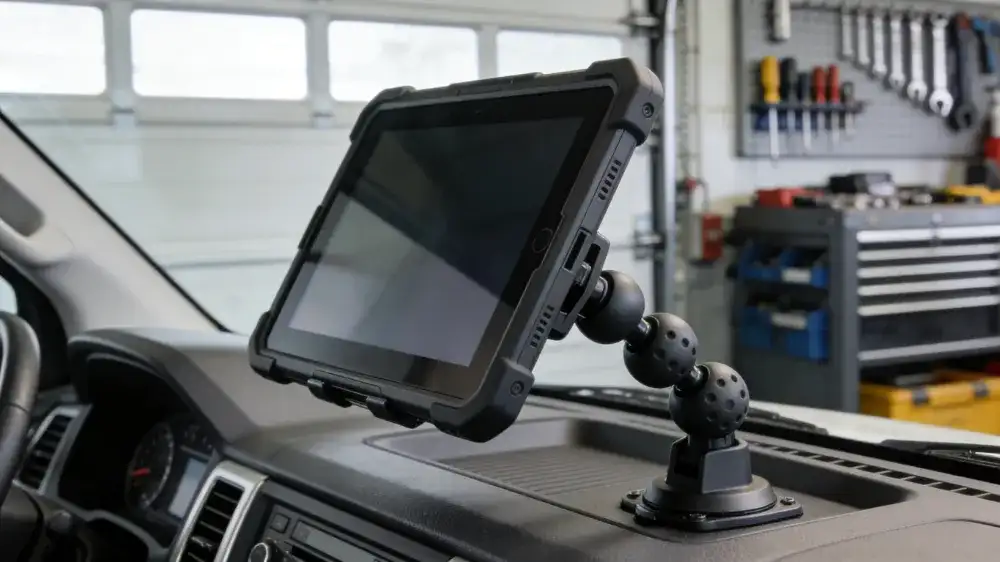
- Prevention: Request dimensional drawings before purchase; verify VESA patterns (75×75mm or 100×100mm standard)
- Cost of failure: $150-$300 per vehicle for custom fabrication
Failure Mode 2: Screen Washout in Specific Lighting
- Scenario: 600-nit displays inadequate for direct sunlight through windshields
- Prevention: Test actual devices in target vehicles/locations; specify 800+ nits for outdoor visibility
- Cost of failure: 15-20% productivity loss; worker frustration; safety incidents
Failure Mode 3: Glove Compatibility Issues
- Scenario: Capacitive touch fails with insulated work gloves
- Prevention: Verify glove-mode operation in specifications; test with actual PPE
- Cost of failure: Workers removing gloves in cold/wet conditions; safety violations
Failure Mode 4: Software Integration Delays
- Scenario: WMS integration takes 6 months vs. projected 6 weeks
- Prevention: Request API documentation during evaluation; verify pre-built connectors for your platform
- Cost of failure: Extended parallel operations; manual workarounds; staff overtime
How to Choose 7-10 Inch Mobile Data Terminal: Step-by-Step Process
Follow this proven framework from my 20 years of industrial technology deployment:
Phase 1: Requirements Definition (Weeks 1-2)
- Workflow mapping: Document current data capture processes, pain points, and mobility requirements
- Environmental assessment: Measure temperature ranges, dust levels, drop risks, and lighting conditions
- User analysis: Interview 3-5 workers per role type; shadow actual shifts when possible
- Integration audit: Catalog existing software platforms, authentication systems, and network infrastructure
Phase 2: Vendor Screening (Weeks 3-4)
- RFP issuance: Specify mandatory certifications, integration requirements, and support SLAs
- Demo evaluation: Test 3-4 finalist devices with standardized use cases (barcode scanning, form completion, outdoor visibility)
- Reference validation: Contact 2-3 current customers with similar deployments; ask specifically about failure rates and support quality
- Pilot selection: Choose 2 finalists for extended testing
Phase 3: Pilot Testing (Weeks 5-8)
- Unit deployment: Distribute 10-15 devices across representative users and shifts
- Data collection: Track battery life, app performance, network connectivity, and physical durability incidents
- Feedback synthesis: Conduct structured interviews; categorize issues as hardware, software, or integration-related
- TCO validation: Compare actual vs. projected costs for accessories, support, and productivity impact
Phase 4: Procurement and Rollout (Weeks 9-16)
- Negotiation: Secure multi-year pricing with technology refresh options; negotiate extended warranties for total deployment
- Change management: Develop training programs; identify internal champions; plan phased rollout by department
- Success metrics: Define KPIs (device uptime, workflow completion time, user satisfaction) for post-implementation review
7-10 Inch Mobile Data Terminal FAQ: Critical Questions from the Field
Q: What’s the actual difference between a 7-inch and 10-inch mobile data terminal in real-world use, and which size delivers better ROI?
A: The 7-inch vs 10-inch decision fundamentally changes how workers interact with technology. Seven-inch terminals excel in high-mobility scenarios—delivery drivers can operate them one-handed while holding packages, utility technicians can pocket them while climbing poles, and they fit standard vehicle mounts without obstructing visibility. However, the smaller screen forces compromises: data entry requires more scrolling, complex WMS interfaces feel cramped, and split-screen multitasking is impractical. Ten-inch terminals reverse these trade-offs, offering 30-40% more screen real estate that transforms inventory management and technical documentation workflows. Workers complete forms faster, view CAD drawings without zooming, and run multiple apps side-by-side. The ROI winner depends on your dominant use case: if workers spend 70%+ of time moving between locations, 7-8 inch devices improve speed and safety. If they spend 70%+ stationary performing data-intensive tasks, 10-inch devices boost accuracy and throughput. For mixed environments, 8-inch models provide the optimal compromise, explaining their growing market dominance.
Q: How do I calculate the true total cost of ownership for a mobile data terminal deployment, and why does the cheaper device often cost more?
A: TCO calculation requires looking beyond the purchase price to capture five-year lifecycle costs. Start with acquisition: rugged MDTs run $800-$1,500 vs $400-$800 for consumer tablets. Add accessories—rugged cases for consumer devices add $150-$300, while industrial models include protection. Software licensing is comparable at $15-$25 annually. The divergence appears in operational reality: consumer tablets in industrial environments fail at 20-30% annual rates, while IP65+ rugged devices achieve 2-5% failure rates. Over five years, you’ll replace 1.5-2.5 consumer units versus 0.1-0.25 rugged units. Factor downtime costs—when a field technician’s tablet fails, you lose $75-$150 per hour in productivity plus customer satisfaction impacts. Training costs recur with each consumer replacement, while rugged devices offer consistent interfaces for 5-7 years. The math becomes clear: consumer tablets show 18-24 month break-even, then rugged MDTs deliver 25-35% lower TCO while providing better security, manageability, and worker satisfaction.
Q: Should I choose Android or Windows for my mobile data terminal deployment in 2026, and what integration challenges should I anticipate?
A: Android has become the default choice for new MDT deployments, growing at 9.1% annually and capturing market share from Windows due to lower licensing costs, faster security updates, and superior cloud-native app support. Android 14/15 offers enterprise-grade features including granular permission controls, zero-touch deployment, and 5+ year security update commitments from leading manufacturers. For organizations already invested in Microsoft ecosystems—running Dynamics 365, Power Platform, or legacy Windows applications—Windows 11 IoT Enterprise remains viable, particularly for 10-inch+ devices where desktop-style multitasking matters. Integration challenges differ by platform: Android requires verifying MDM compatibility (SOTI, VMware, Microsoft Intune) and confirming your WMS/FSM vendor offers native Android apps rather than web wrappers. Windows integration focuses on driver availability for legacy peripherals and ensuring Active Directory authentication flows work reliably over cellular connections. Regardless of OS, demand API documentation and reference customers running your specific software stack before committing. The wrong OS choice creates 6-12 month integration delays that dwarf any hardware cost differences.
Conclusion: Making the Right Investment
Choosing the optimal 7-10 inch mobile data terminal requires balancing technical specifications, workflow requirements, and financial constraints. The facilities achieving greatest success view these devices not as IT purchases, but as operational infrastructure that directly impacts productivity, safety, and customer satisfaction.
Prioritize durability certifications and integration capabilities over marginal hardware specifications. The 8-inch form factor serves most organizations well, simplifying standardization while meeting diverse use cases. Calculate TCO over 5-7 years rather than focusing on upfront savings that generate hidden costs.
The data is unambiguous: industrial-grade MDTs deliver 25-35% lower total cost of ownership compared to consumer alternatives in field and warehouse environments, while providing superior reliability, security, and worker satisfaction. In an era of labor shortages and operational margin pressure, these devices represent strategic investments rather than tactical expenses.
Begin your selection process with the requirements framework outlined above, and you’ll deploy a solution that serves your operations effectively through 2030 and beyond.
Related Resources:
Latest Content
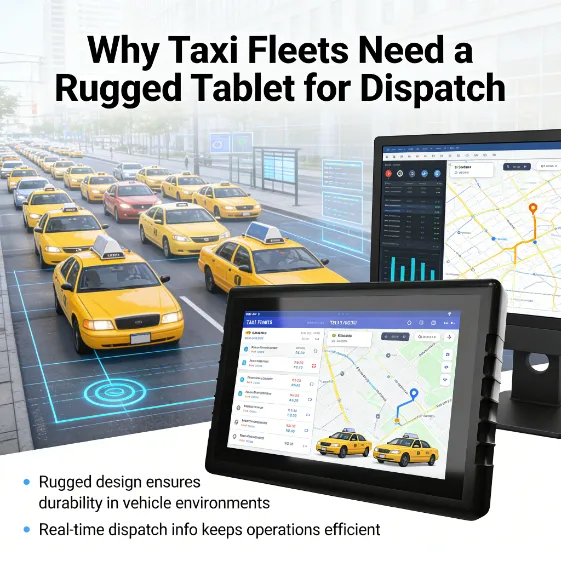
- Rugged Tablet for Taxi Dispatch System
- How to Mount a Rugged Tablet in Your Van or Truck: 5 Proven Solutions for Commercial Fleets
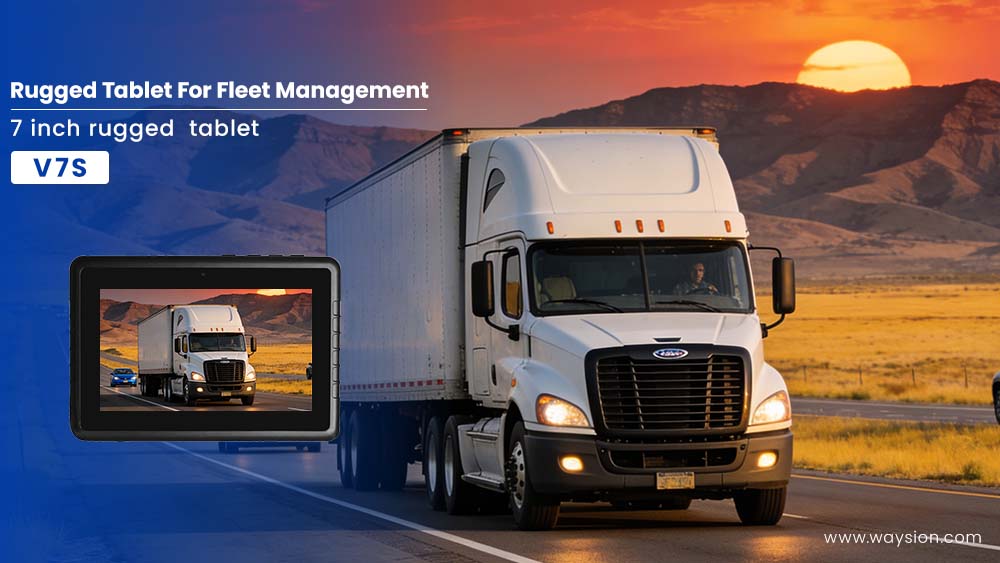
- From Chaos to Control: How a Logistics Company Achieved 20% Efficiency Gains with the Waysion V7S Terminal
- The Ultimate Guide to Choosing a Rugged In-Vehicle Tablet
- Vehicle Telematics Architecture Explained:The Role of Rugged In-Vehicle HMIs like Q777
Tags: 8 inch rugged tablet vs 10 inch for warehouse, best 8 inch rugged tablet battery life field work, mobile data terminal Android vs Windows 2026, rugged tablet total cost of ownership calculator