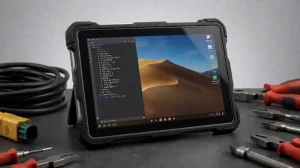
In the evolving landscape of portable computing, Linux tablets deliver open-source freedom, strong customization, solid security, and long-term control that proprietary systems often lack. Developers, privacy-focused professionals, educators, field engineers, and industrial users increasingly turn to Linux for reliability and flexibility.
This guide covers the top Linux tablet options available or relevant in 2026. It balances native Linux devices, well-supported convertibles, and purpose-built rugged models suited to real-world industrial, vehicle, and outdoor environments. Emphasis is placed on hardware that ships with or cleanly supports Linux (Ubuntu, Debian, PureOS, Mobian, etc.), practical performance, battery life, display quality, and durability where it matters.
Understanding the Appeal of Linux Tablets
Linux tablets stand out because of:
- Full user control and the ability to customize the interface, kernel, and software stack
- Strong security posture through open-source transparency, frequent community updates, and the absence of forced telemetry
- Excellent longevity and repairability compared with locked consumer tablets
- Native support for development tools, Docker, scientific software, and industrial protocols
- Growing options that range from budget community devices to enterprise-grade rugged hardware
Evolution of Linux Tablet Technology
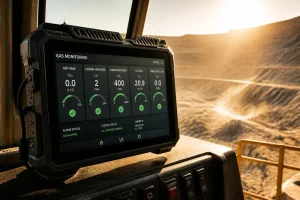
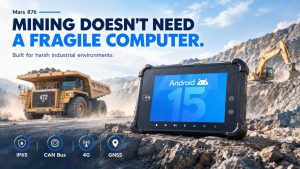
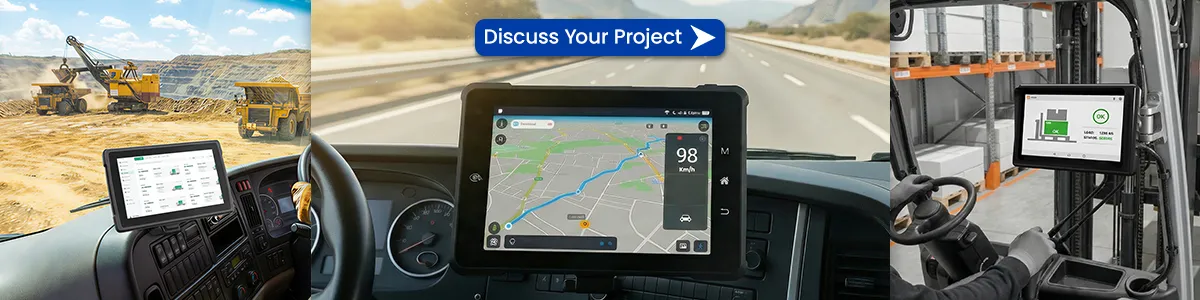
By 2026 the ecosystem has matured. Native ARM devices (PineTab series) and x86 tablets (StarLite, Juno, Librem) ship with working Linux images. Convertibles and 2-in-1s continue to gain better kernel and touch support. At the same time, industrial demand has driven rugged Linux tablets with IP67 ratings, sunlight-readable displays, wide-temperature operation, serial/CAN interfaces, and long-lifecycle Ubuntu or Debian images. These meet needs that ordinary consumer tablets cannot: vehicle mounting, outdoor fieldwork, factory floors, and continuous operation in harsh conditions.
Top 10 Linux Tablet Computers
1. StarLite (Star Labs) – Best overall native x86 Linux tablet
A compact, fanless 2-in-1 that ships with Linux and open-source firmware (coreboot). Recent models feature a high-resolution touch display, solid Intel N-series processors, generous RAM options, and magnetic keyboard support. Ideal for developers who want a full desktop Linux experience in tablet form with good battery life and stylus support.
2. PineTab2 (Pine64) – Best budget / community open-source tablet
Affordable ARM tablet based on the Rockchip RK3566. Available in 4 GB/64 GB and 8 GB/128 GB configurations with a 10.1-inch IPS panel. Ships with community Linux images (DanctNix Arch, Manjaro, Debian variants). Excellent for learning, tinkering, kernel development, and users who value repairability and transparency. Battery life is strong for the price.
3. Librem 11 (Purism) – Best for privacy and security
11.5-inch AMOLED tablet running PureOS (Debian-based) with hardware kill switches for camera, microphone, and wireless. Intel N5100, up to 1 TB storage, and PureBoot. Suited to professionals and organizations that prioritize auditable firmware and freedom from proprietary software stacks. Battery life is more modest, so it is best for lighter daily use.
4. Juno Tab series (Juno Computers) – Best high-performance developer tablet
x86 tablets (recent models with Intel N100 or stronger options) featuring larger high-resolution displays, ample RAM (up to 12 GB+), and SSD storage. Pre-loaded with Ubuntu, Kubuntu, or other desktop Linux environments. Strong choice for coding, multitasking, and users who need near-laptop performance in a tablet form factor.
5. Waysion SYVR10R (and similar Waysion rugged models) – Best rugged Linux tablet for industrial & vehicle use
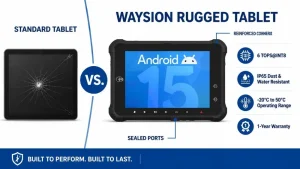
Purpose-built 10.1-inch rugged tablet with RK3568 platform, dual-OS (Linux/Android) support, IP67 rating, MIL-STD-810H durability, sunlight-readable high-brightness display, and rich industrial I/O (CAN bus, RS232, RS485, RJ45, GPS/RTK options). Long battery life and wide operating temperature range make it suitable for agriculture, logistics, fleet management, construction, and field service. Long-term Ubuntu/Debian images and customization support address real industrial deployment needs.
6. Other industrial rugged Linux options (Ruggtek, Conker, Getac, Panasonic, etc.)
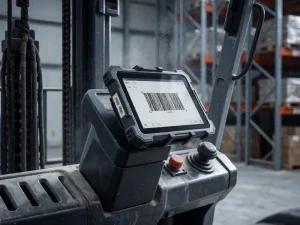
Several manufacturers offer 10–12-inch tablets with Ubuntu LTS or Debian, Intel or ARM processors, IP65/IP67 protection, and optional scanners, GNSS, and vehicle docks. These fill the gap when consumer devices fail under dust, vibration, drops, or extreme temperatures. Look for documented Linux driver support, hot-swappable batteries, and wide-voltage power input.
7. Framework Laptop 12 (or similar modular 2-in-1 convertibles)
Repairable, upgradeable devices that function in tablet mode. Full Linux support and the ability to swap ports or components appeal to users who want longevity and customization beyond typical sealed tablets.
8. Dell Latitude detachable / rugged series (selected models)
Enterprise detachables and rugged tablets with strong Ubuntu certification options. Useful for professional environments that require vendor-supported Linux images, docking, and long lifecycle support.
9. Convertible Windows tablets with mature Linux support (Surface Pro lineage, certain ThinkPads, etc.)
Many x86 convertibles run desktop Linux well via community kernels (linux-surface, etc.). They offer excellent displays and pens but require more setup than native Linux devices. Best when you already own the hardware or need a high-end pen experience.
10. Emerging / specialized options (Volla, open_slate-style privacy tablets, RISC-V experiments)
Devices focused on de-Googled or fully open experiences, or experimental platforms such as improved PineTab-V. These continue to expand choice for privacy advocates and hardware enthusiasts.
Comparison Snapshot (Key Buying Factors)
| Category | Best Matches | Key Strengths | Typical Limitations |
|---|---|---|---|
| Native open-source | PineTab2, StarLite, Librem 11 | Pre-installed Linux, transparency | Lower peak performance or battery on some models |
| Developer power | Juno Tab, StarLite, Framework | x86 compatibility, desktop apps | Higher price or weight |
| Privacy/security | Librem 11, selected open devices | Kill switches, PureOS | Battery life, app ecosystem |
| Industrial / outdoor | Waysion SYVR10R & similar rugged | IP67, I/O, sunlight display, durability | Heavier, specialized pricing |
| Budget learning | PineTab2 | Low cost, community support | Incomplete peripheral support on early firmware |
Frequently Asked Questions
What sets Linux tablets apart?
Open-source control, customization, security transparency, and the ability to run the same tools used on desktop Linux without vendor lock-in.
Are they suitable for professional or industrial use?
Yes. Native and rugged models support development workflows, industrial protocols (serial, CAN), long-term LTS images, and harsh environments. Rugged Linux tablets excel where consumer devices fail.
Can I install third-party software?
Yes. Standard package managers, Flatpak, AppImage, and source builds work. Industrial images often include validated drivers for specific I/O.
Are they beginner-friendly?
Native devices with polished desktop environments (GNOME, KDE, Phosh) are approachable. Some ARM community devices still have a learning curve for peripherals.
How important is ruggedization?
Critical for outdoor, vehicle, factory, or field work. Look for IP ratings, MIL-STD drop/vibration resistance, high-nit displays, and wide temperature ranges.
Connectivity and peripherals?
Most support USB, Bluetooth keyboards/mice, and external displays. Rugged models add serial, CAN, GNSS, and vehicle power options.
Conclusion
Linux tablets in 2026 range from affordable community devices for experimentation to polished native x86 tablets for daily productivity and fully rugged industrial units for mission-critical field and vehicle use. Choose according to your primary needs: pure open-source freedom (PineTab2 / StarLite / Librem), developer performance (Juno / StarLite), privacy (Librem), or durability and industrial I/O (Waysion SYVR10R and comparable rugged platforms).
For industrial, agricultural, logistics, or outdoor deployments, a purpose-built rugged Linux tablet delivers the combination of open-source flexibility and hardware reliability that standard consumer tablets cannot match. Evaluate current firmware support, available I/O, brightness, battery strategy, and long-term availability before purchasing. The right Linux tablet unlocks a more controllable, secure, and adaptable computing experience.
Tags: linux for tablet computer, Linux tablet, Linux Tablet Computers, Rugged Linux tablet