If you’ve been searching for tablet debian solutions, comparing the best linux tablets, or wondering how to get linux on an android tablet, this guide is for you. We go deeper than any competitor: hardware selection, Debian installation, driver support, use cases, and a 2025/2026 outlook — everything you need to deploy debian on a tablet successfully.
Why Run Debian on a 10-Inch Rugged Android Tablet?
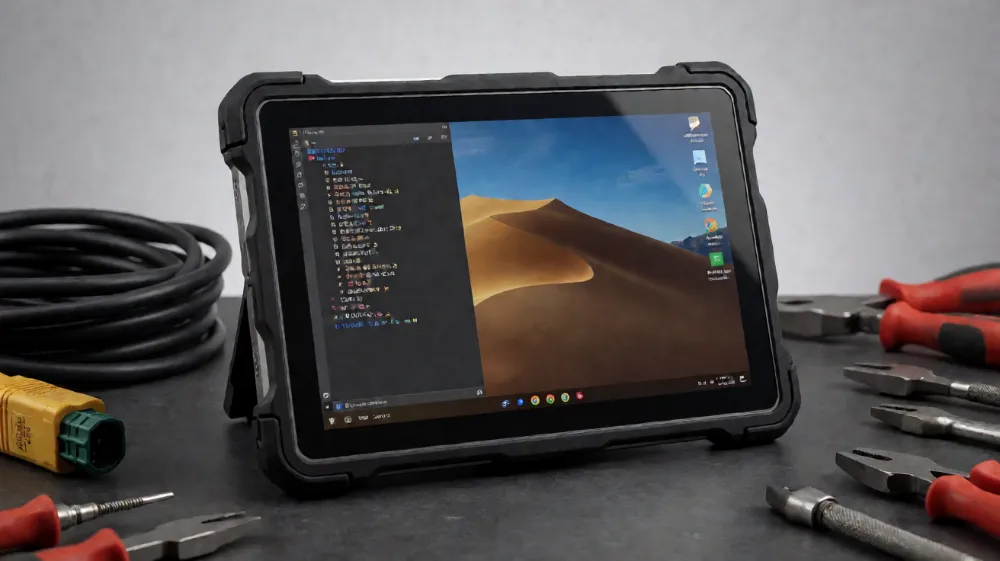
Most tablet computer linux discussions focus on consumer devices. But industrial users — warehouse teams, field engineers, logistics operators — need something tougher. A 10-inch rugged Android tablet with debian for tablet workloads combines the best of both worlds:
Durability: IP67/IP68 sealing, MIL-STD-810G drop resistance, gorilla glass
Open ecosystem: Debian gives you apt, full shell access, and thousands of packages
No vendor lock-in: unlike Android, debian on tablets means you control the entire stack
Long lifecycle: Debian’s stable branches outlive typical Android update windows
For teams evaluating the best tablet for linux, a rugged chassis with a mainline-friendly SoC is the winning combination.
Hardware Requirements: Choosing the Best Linux Tablet PC
Not every rugged tablet supports debian for tablets well. Here’s what to look for when picking the best tablet pc linux candidate:
1. SoC / Chipset
SoC
Debian Support
Notes
Rockchip RK3568/RK3588
Excellent
Mainline kernel support, best linux tablet 2025 choice
NXP i.MX8M Plus
Excellent
Industrial-grade, long-term support
Qualcomm SDM660+
Good
Requires some device tree work
MediaTek (older)
Fair
Check community forums first
2. Display & Touch
10-inch IPS, 800–1200 nits brightness for outdoor readability, with capacitive multi-touch that works under best linux os for tablets candidates like Debian 12+ (GNOME and KDE Plasma touch gestures both work well).
3. Connectivity
4G LTE with Quectel/EM05 modules (well supported)
Wi-Fi 6 (Intel or Realtek chipsets preferred)
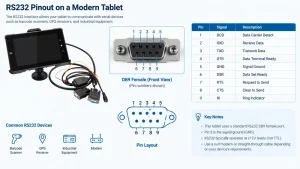
RS-232/RS-485/CAN bus ports — critical for industrial tablet con debian deployments
Optional NFC, barcode scanner, UHF RFID
4. Battery & Power
10,000+ mAh hot-swappable batteries and USB-C PD. Debian’s power-profiles-daemon handles throttling on tablets for linux nicely.
Installing Debian on a Rugged Android Tablet: Step-by-Step
Here’s the practical path to getting debian en tablet form (Debian on your tablet) running:
Step 1: Unlock the Bootloader
bash
adb reboot bootloader
fastboot flashing unlock
Step 2: Flash the Debian Image
Most RK3588-based rugged tablets use SPI flash + eMMC. Flash a Debian 12 (Bookworm) image with the appropriate device tree:
Install squeekboard or osk for on-screen input — essential for any tablet with kali linux or Debian security-testing use case.
Tip: If your device ships with Android, check whether the vendor publishes BSP sources. The best tablet linux experiences come from vendors with open device trees.
Best Linux OS for Tablets: Why Debian Wins
When comparing the best linux tablet os options:
Debian — rock-solid stable, huge package repo, 5+ year support. The best tablet linux os for production devices.
Ubuntu Touch — good convergence, smaller app ecosystem
Kali Linux (on Debian base) — popular for penetration-testing tablets; a tablet with kali linux is a favorite among security auditors
PostmarketOS — great for older devices, mobile-focused
For industrial deployments, debian on tablets remains the gold standard in 2025 and heading into linux tablet 2026.
Top Use Cases for a Debian Rugged Tablet
Field service & inspection: offline GIS apps, PDF annotation
Vehicles & fleets: CAN bus diagnostics, GPS logging
Security testing: a rugged tablet with kali linux for on-site audits
Education & kiosks: locked-down Debian tablets with Wayland kiosk sessions
Price & Value: Finding the Cheapest Linux Tablet
If budget is your priority, the cheapest linux tablet options are typically RK3566-based 10-inch rugged units in the 250–400 range — flash Debian yourself and save over pre-installed premium options. For a current best linux tablet shortlist, prioritize mainline kernel support over raw specs; software support determines longevity more than RAM does.
Linux Tablets 2026 & Beyond
The linux tablets 2025 landscape is the healthiest it’s ever been: mainline kernel support for Rockchip and NXP SoCs is mature, GNOME/KDE touch UX is polished, and industrial vendors increasingly ship debian for tablets images directly. Looking at linux tablet 2026, expect better Wayland fractional scaling, improved stylus support, and broader cellular modem support.
FAQ
Can I run Debian on an Android tablet? Yes — if the bootloader is unlockable and the SoC has Linux support. Rockchip and NXP-based rugged tablets are the easiest path to linux on an android tablet.
Is Debian good for touchscreens? Debian 12+ with GNOME or KDE Plasma handles touch input, gestures, and on-screen keyboards well.
Which is the best linux tablet for industrial use? A 10-inch rugged RK3588 or i.MX8M Plus tablet running Debian — durability plus software freedom.
Conclusion
Running debian on a tablet — especially a 10-inch rugged Android tablet — delivers durability, security, and total software control that Android can’t match. Whether you need the best linux tablet pc for field work, a tablet with kali linux for security audits, or simply the cheapest linux tablet for a pilot project, Debian’s flexibility makes it the best linux for tablets in 2025 and beyond.
Ready to deploy? Choose a mainline-supported SoC, unlock, flash, and enjoy a truly open tablet.