- What Is a Mobile Data Terminal?
- How Does a Police Mobile Data Terminal Work?
- Why Police Vehicles Need a Rugged MDT
- Key Functions of a Modern Police MDT
- Rugged Vehicle Tablet vs. Consumer Tablet
- Essential Hardware Features of a Police MDT
- Android vs. Windows for a Mobile Data Terminal
- Mobile Device Management for Police MDT Deployment
- Security Considerations for a Police Mobile Data Terminal
- How to Choose the Right Mobile Data Terminal
- OEM and ODM Mobile Data Terminal Solutions
- Mobile Data Terminal Applications Beyond Police
- MDT, MDC, Rugged Tablet, and Vehicle Computer: What's the Difference?
- MDT Deployment Architecture for Fleet and Public Safety
- Police MDT Procurement Checklist
- Common Mistakes When Selecting an MDT
- Buying the Tablet Before Designing the Dock
- What Makes a Good Mobile Data Terminal?
- Rugged Vehicle Tablets as the Next Generation of MDT Hardware
- FAQ
- Conclusion: Building a Reliable Mobile Data Terminal System
A Mobile Data Terminal (MDT) is no longer simply a screen installed inside a patrol vehicle. It has become a connected computing platform that allows police officers, emergency responders, fleet operators, and field personnel to access information, communicate with dispatch, navigate, complete reports, and interact with vehicle systems while working on the move.
For law enforcement, an MDT police computer can connect a patrol vehicle to computer-aided dispatch (CAD), records management systems (RMS), mapping platforms, databases, cameras, telematics, and other mission-critical applications.
For commercial fleets, the same underlying concept can support dispatch, navigation, driver workflows, electronic forms, vehicle diagnostics, telematics, and fleet management software.
The difference is that a professional MDT must operate in an environment where vibration, temperature changes, sunlight, dust, moisture, vehicle power fluctuations, and continuous operation are normal conditions.
This guide explains what a mobile data terminal is, how a police MDT works, which hardware and connectivity features matter, how rugged vehicle tablets compare with conventional tablets, and what system integrators should consider when selecting an MDT platform.
What Is a Mobile Data Terminal?
A Mobile Data Terminal (MDT) is a computer designed to provide data access and communication capabilities from a moving vehicle or other mobile working environment.
In law enforcement, the MDT is typically installed inside a police vehicle and connected to the agency’s digital infrastructure. Officers can use it to receive dispatch information, access authorized databases, navigate to incidents, update their status, and complete digital documentation.
The terminology varies between organizations. Some agencies use MDT, while others increasingly use Mobile Data Computer (MDC) to describe a more capable in-vehicle computing platform. The underlying purpose remains similar: provide reliable access to operational data while personnel are away from a fixed workstation.
A modern MDT can combine several functions:
- Computer-aided dispatch access
- Two-way operational communication
- GPS/GNSS positioning
- Digital mapping and navigation
- Mobile records access
- Electronic report writing
- Fleet tracking
- Telematics
- Camera and peripheral integration
- Barcode or RFID connectivity
- Vehicle data access
- Mobile device management
- Remote device administration
This makes the MDT an important part of the vehicle’s digital infrastructure rather than merely a rugged tablet mounted on a dashboard.
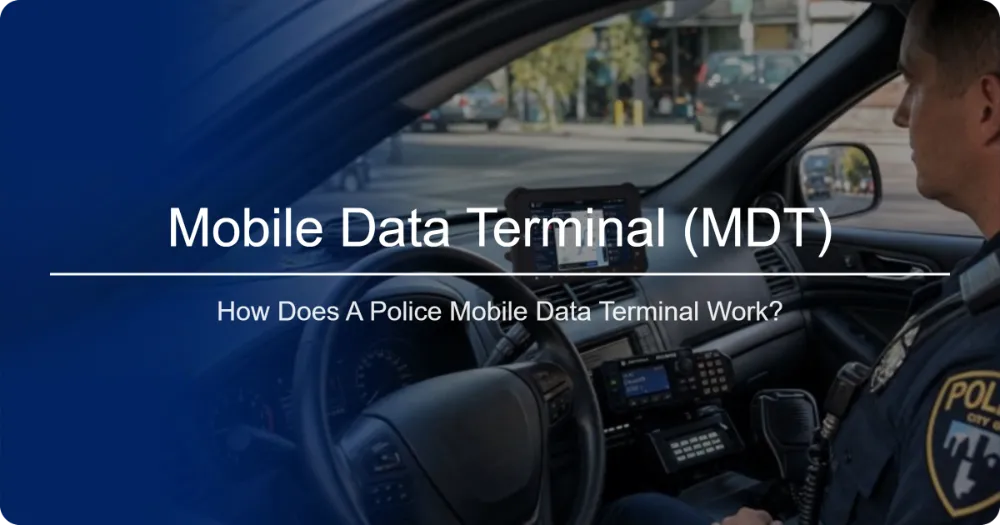
How Does a Police Mobile Data Terminal Work?
A police MDT normally sits between the officer, the vehicle, communications networks, and backend software.
The hardware provides the computing platform. Wireless connectivity provides access to external systems. The software connects the officer to CAD, RMS, mapping, communication, and other applications.
A simplified architecture looks like this:
flowchart LR
    A[Police Officer] --> B[Police MDT / Rugged Vehicle Tablet]
    B --> C[CAD / Dispatch]
    B --> D[Records Management System]
    B --> E[Maps & Navigation]
    B --> F[Secure Databases]
    B --> G[Mobile Applications]
    B --> H[Vehicle CAN Bus / Telematics]
    B --> I[4G / 5G / Wi-Fi]
    I --> J[Cloud / Agency Network]
The exact architecture depends on the agency, software stack, connectivity infrastructure, and security requirements.
The important principle is that the MDT becomes the in-vehicle user interface for multiple operational systems.
Why Police Vehicles Need a Rugged MDT
A consumer tablet may have a powerful processor and an attractive display, but a patrol vehicle presents a very different operating environment.
A police MDT may remain powered for long shifts while being exposed to:
- Road vibration
- Mechanical shock
- Repeated vehicle movement
- Dust and moisture
- Direct sunlight
- Temperature extremes
- Rapid temperature changes
- Vehicle power fluctuations
- Continuous wireless communication
- Repeated docking and undocking
- Frequent touch interaction
A conventional consumer tablet is generally designed around personal mobility. A vehicle-mounted rugged computer is designed around operational continuity.
This distinction becomes particularly important when the terminal is used for dispatch, navigation, reporting, or other applications that officers depend on during an active shift.
Government and law-enforcement procurement specifications commonly place explicit requirements on ruggedness, ingress protection, drop resistance, operating-system lifecycle, and long-term support. For example, a recent police MDT specification calls for IP65 or better, rugged construction, MIL-STD-810H-related durability, a minimum 1.2 m drop requirement, and multi-year operating-system support.
Key Functions of a Modern Police MDT
1. Computer-Aided Dispatch
One of the primary functions of an MDT police computer is access to dispatch information.
Instead of relying entirely on voice communication, officers can receive structured information on the vehicle computer, including:
- Incident location
- Call type
- Priority
- Assignment information
- Dispatch updates
- Unit status
- Location information
- Operational notes
This gives officers a visual information layer alongside radio communication.
The combination of dispatch software, location services, and mobile connectivity can help transform the patrol vehicle into a connected operational workstation.
2. Real-Time Navigation and Mapping
Navigation is another fundamental MDT capability.
A police officer may need to move quickly between multiple locations while maintaining awareness of the current incident. A vehicle-mounted tablet can provide:
- Turn-by-turn navigation
- Digital maps
- Current vehicle location
- Route planning
- Points of interest
- Geofencing
- Location sharing
- Automatic vehicle location (AVL)
GNSS support can include multiple satellite positioning systems depending on the hardware configuration.
For fleet applications outside law enforcement, navigation can also be combined with dispatch and telematics software to create a single driver workstation.
3. Secure Database Access
A police MDT can provide access to authorized information systems used during field operations.
Depending on the agency and software environment, this may include:
- Person records
- Vehicle information
- License plate information
- Incident history
- Case information
- Warrants or alerts
- Officer information
- Location data
Security should therefore be considered a system-level requirement rather than simply a hardware specification.
The terminal may need:
- User authentication
- Application restrictions
- Encryption
- MDM
- Remote configuration
- Security updates
- Device lockdown
- Application whitelisting
- Remote wipe capabilities
A rugged enclosure protects the hardware, but device management and software security protect the information environment.
4. Digital Reporting in the Field
Traditional paper-based workflows can create unnecessary duplication.
An MDT allows officers to enter information digitally while still in the vehicle or near an incident location.
Depending on the software, officers may complete:
- Incident reports
- Activity logs
- Electronic forms
- Citations
- Inspection records
- Field notes
- Evidence-related documentation
The objective is not simply to replace paper with a touchscreen.
A properly integrated system can allow information entered in the field to flow into the organization’s backend systems, reducing repetitive data entry.
5. Communication and Connectivity
Connectivity is one of the most important characteristics of an in-vehicle MDT.
A professional mobile data terminal may combine:
4G LTE or 5G
Wide-area cellular connectivity enables access to cloud applications, dispatch platforms, fleet management systems, and other remote services.
Wi-Fi
Wi-Fi can provide high-speed connectivity when vehicles return to stations, depots, garages, or other supported networks.
Bluetooth
Bluetooth can connect compatible peripherals such as scanners, printers, headsets, or other devices.
GNSS
GPS and other GNSS constellations provide positioning information for navigation and vehicle tracking.
Ethernet
Some industrial MDT architectures use Ethernet for high-reliability local networking or integration with vehicle systems.
The ideal configuration depends on the software architecture and deployment environment.
Rugged Vehicle Tablet vs. Consumer Tablet
A common mistake is to compare devices primarily by processor, RAM, screen size, or Android version.
For vehicle deployment, the more important question is:
Can the device remain reliable when installed inside a working vehicle for years?
| Requirement | Consumer Tablet | Rugged Vehicle MDT |
|---|---|---|
| Vehicle mounting | Limited | Designed for mounting |
| Vibration resistance | Limited | Engineered for vehicle environments |
| Drop protection | Basic | Enhanced rugged construction |
| Water/dust protection | Often limited | IP-rated protection |
| Sunlight readability | Model dependent | High-brightness options |
| Vehicle power integration | Usually limited | Designed for vehicle power |
| Ignition control | Usually unavailable | Available on suitable platforms |
| CAN Bus | Rare | Available on industrial platforms |
| Serial interfaces | Rare | Multiple industrial I/O options |
| Docking | Basic charging | Vehicle docking/cradle options |
| MDM | Consumer-focused | Enterprise deployment focused |
| Long-term lifecycle | Varies | Designed for fleet programs |
| Peripheral integration | Limited | Designed for system integration |
This is why a rugged vehicle tablet should be evaluated as part of the vehicle system rather than as an ordinary tablet.
Essential Hardware Features of a Police MDT
High-Brightness Display
A vehicle MDT must remain readable in changing lighting conditions. >> rugged tablets with 1000 nits brightness
Direct sunlight can make a conventional display difficult to read. A high-brightness display with anti-glare treatment can significantly improve usability.
For outdoor vehicle applications, buyers should evaluate:
- Brightness in nits
- Anti-glare treatment
- Viewing angles
- Touch sensitivity
- Glove operation
- Automatic brightness adjustment
- Optical bonding
- Screen durability
A high-brightness display is especially important when the terminal is mounted near a windshield or dashboard.
Rugged Construction
The enclosure should be designed for the actual operating environment.
Important specifications include:
- IP rating
- Drop resistance
- Shock resistance
- Vibration resistance
- Operating temperature
- Storage temperature
- Humidity resistance
- Connector protection
IP65, IP67, and similar ratings describe protection against dust and water under defined test conditions. They should not be treated as interchangeable with overall ruggedness.
Military-standard testing, such as MIL-STD-810, can provide additional information about environmental durability when the manufacturer clearly identifies the applicable test methods.
Vehicle Power Management
A vehicle MDT is not simply plugged into a wall outlet.
The device needs to operate reliably from the vehicle’s electrical system.
Depending on the vehicle and deployment architecture, useful features can include:
- Wide DC input
- Ignition sensing
- Over-voltage protection
- Under-voltage protection
- Reverse-polarity protection
- Surge protection
- Controlled shutdown
- Power delay
- Backup battery
- Vehicle docking
The terminal should also be evaluated against the vehicle’s electrical environment rather than evaluated only according to the nominal voltage range.
For large fleet deployments, reliable power behavior can be just as important as CPU performance.
CAN Bus and Vehicle Data Integration
For advanced fleet and vehicle applications, CAN Bus can be an important integration interface.
CAN Bus allows compatible systems to exchange vehicle-related information.
Depending on the vehicle, protocol, and integration software, an MDT may interact with information such as:
- Vehicle status
- Engine parameters
- Fuel information
- Diagnostic data
- Mileage
- Driver-related information
- Vehicle operating conditions
A typical architecture can be represented as:
flowchart LR
    A[Vehicle Sensors] --> B[ECU]
    B --> C[CAN Bus]
    C --> D[Rugged Vehicle MDT]
    D --> E[Telematics Software]
    E --> F[Fleet Management Platform]
    F --> G[Cloud Dashboard]
CAN integration is particularly useful when the terminal is expected to function as both a user interface and a gateway to vehicle data.
However, CAN Bus support should never be evaluated only by checking whether a connector is physically present. Buyers should verify:
- Supported CAN standards
- CAN protocol
- J1939 requirements
- OBD integration
- Software SDK/API
- Driver availability
- Data parsing capability
- Isolation requirements
Docking Stations: More Than a Charging Accessory
A vehicle cradle can become a critical component of an MDT deployment.
A professional docking system can provide:
- Secure mechanical mounting
- Power delivery
- Data connectivity
- Peripheral connections
- Quick installation/removal
- Reliable contact points
- Cable management
Pogo-pin interfaces are one approach for providing repeatable electrical connections between a rugged tablet and its dock.
A good dock should also consider the physical workflow of the driver or officer.
The device should be:
- Securely mounted.
- Easily visible.
- Accessible without obstructing essential vehicle controls.
- Resistant to vibration.
- Simple to remove when required.
- Compatible with the vehicle installation architecture.
The dock and tablet should therefore be designed as a complete system.
Android vs. Windows for a Mobile Data Terminal
The operating system should be selected according to the software environment rather than hardware preference.
Android MDT
Android can be attractive for organizations using:
- Mobile applications
- Cloud-based software
- Web applications
- Fleet management platforms
- Navigation applications
- MDM platforms
- Custom Android applications
It can also simplify integration with modern mobile workflows.
Windows MDT
Windows can remain appropriate where organizations depend on:
- Existing Windows applications
- Legacy enterprise software
- Specialized peripherals
- Desktop-class applications
- Existing IT infrastructure
The correct choice depends on application compatibility, security policy, lifecycle requirements, and integration costs.
For either platform, long-term software support should be considered before deployment.
Mobile Device Management for Police MDT Deployment
When an agency operates dozens or hundreds of vehicles, manually configuring every MDT becomes inefficient.
Mobile Device Management (MDM) allows administrators to manage deployed devices centrally.
A suitable MDM strategy can support:
- Application deployment
- Remote configuration
- Device monitoring
- User restrictions
- Kiosk mode
- Security policies
- OS update management
- Wi-Fi configuration
- VPN configuration
- Remote troubleshooting
- Device inventory
For police environments, administrators may also need to control which applications can run and which system functions officers can access.
The MDT should therefore be evaluated for compatibility with the organization’s existing MDM platform.
Security Considerations for a Police Mobile Data Terminal
A police MDT can potentially access sensitive operational information.
Security should therefore be considered at several levels.
Hardware Security
Consider:
- Secure boot
- Trusted execution features
- Storage protection
- Physical tamper considerations
Evaluate:
Operating-System Security
- Security patch availability
- OS lifecycle
- Update mechanisms
- Application permissions
- Enterprise configuration
Network Security
Consider:
- VPN
- Cellular security
- Wi-Fi authentication
- Firewall policies
- Network segmentation
Application Security
The software environment should enforce:
- Authentication
- Role-based access
- Session management
- Data protection
- Application restrictions
Remote Management
MDM provides an additional layer for maintaining security policies across an entire fleet.
The result should be a managed endpoint rather than an unmanaged Android or Windows computer installed inside a patrol car.
How to Choose the Right Mobile Data Terminal
A successful MDT deployment starts with the operating environment and software requirements.
We recommend evaluating the following areas before selecting hardware.
1. Define the Vehicle Environment
Identify:
- Vehicle type
- Available mounting area
- Power system
- Temperature exposure
- Vibration level
- Installation position
- Antenna requirements
A police cruiser, ambulance, bus, mining truck, and delivery vehicle may all require different configurations.
2. Define the Software Stack
List the applications that must run on the device.
For example:
- CAD
- RMS
- Fleet management software
- Navigation
- Telematics
- Video applications
- Digital forms
- Communication applications
- MDM
- Custom enterprise applications
Then confirm operating-system and hardware compatibility.
3. Define Connectivity
Determine whether the deployment requires:
- 4G LTE
- 5G
- Wi-Fi
- Bluetooth
- GNSS
- Ethernet
- CAN Bus
- RS-232
- USB
- GPIO
Avoid paying for interfaces that are unnecessary while also avoiding configurations that prevent future expansion.
4. Evaluate the Display
For a vehicle-mounted MDT, evaluate:
- Screen size
- Brightness
- Anti-glare performance
- Touch response
- Viewing angle
- Night operation
- Glove compatibility
The screen should be selected according to the mounting position and application.
5. Evaluate Lifecycle Support
A government or fleet deployment may remain operational for years.
Important questions include:
- How long will the model remain available?
- How long will software updates be supported?
- Can the CPU platform be maintained?
- Are replacement units available?
- Can the enclosure or mounting design remain unchanged?
- Can the manufacturer provide engineering support?
Lifecycle stability can have a major impact on the total cost of ownership.
7-10 inch mobile data terminal buying guide
OEM and ODM Mobile Data Terminal Solutions
System integrators frequently require more than an off-the-shelf tablet.
An OEM/ODM MDT program can allow the hardware to be adapted to a particular application.
Possible customization areas include:
Hardware Customization
- Processor
- RAM
- Storage
- Display size
- Display brightness
- Battery
- Cellular modem
- GNSS module
- Wi-Fi
- Bluetooth
- CAN Bus
- RS-232/RS-485
- GPIO
- USB
- Ethernet
Mechanical Customization
- Enclosure
- Mounting points
- Vehicle cradle
- Connector position
- Branding
- Logo
- Buttons
- Housing design
Software Customization
- Android version
- Boot animation
- Launcher
- Kiosk mode
- MDM configuration
- Device APIs
- Peripheral SDK
- CAN Bus integration
- Custom applications
This approach can be particularly valuable for fleet-management providers, police technology integrators, telematics companies, and solution providers that need to deploy the same hardware architecture across multiple customers.
Mobile Data Terminal Applications Beyond Police
Although the term police MDT is widely recognized, mobile data terminal technology is not limited to law enforcement.
The same rugged computing architecture can support:
Fleet Management
Drivers can use a rugged vehicle tablet for:
- Dispatch
- Navigation
- Driver communication
- Electronic forms
- Delivery confirmation
- Fleet applications
- Telematics
Public Transportation
Bus and coach operators can use vehicle terminals for:
- Route information
- Driver communication
- Passenger information
- Vehicle monitoring
- Scheduling
- Fleet management
Ambulances and emergency-response vehicles can use mobile terminals for:
Emergency Services
- Dispatch
- Navigation
- Incident information
- Communication
- Digital documentation
Construction
Rugged tablets can provide:
- Work orders
- Equipment information
- Digital checklists
- GPS
- Machine data
- Field reporting
Mining
Vehicle-mounted rugged computers can connect operators with:
- Fleet management
- Machine monitoring
- Dispatch
- Digital work instructions
- Location tracking
Agriculture
Vehicle terminals can support:
- Machinery information
- GPS guidance
- Field management
- Telematics
- Task management
MDT, MDC, Rugged Tablet, and Vehicle Computer: What’s the Difference?
These terms overlap, but they are not always interchangeable.
Mobile Data Terminal
Historically refers to an in-vehicle terminal primarily focused on data communication and operational information.
Mobile Data Computer
A broader term increasingly used for capable in-vehicle computing platforms, particularly in public safety.
Rugged Tablet
A portable rugged computer with a touchscreen and battery. It can be handheld, vehicle-mounted, or used in field environments.
Vehicle-Mounted Computer
A computer specifically designed for permanent or semi-permanent vehicle installation.
The right terminology depends on the industry and application.
For modern fleet applications, a rugged vehicle tablet can effectively function as an MDT platform when it provides the required connectivity, vehicle integration, mounting, power management, and software compatibility.
MDT Deployment Architecture for Fleet and Public Safety
A complete deployment should be viewed as an ecosystem.
The tablet is only one part of the system.
A successful project must coordinate:
Hardware + Vehicle Installation + Connectivity + Software + Security + Device Management + Backend Platform
This is especially important when the terminal becomes a central interface for multiple systems.
Police MDT Procurement Checklist
Before purchasing a mobile data terminal, we recommend using a structured checklist.
Hardware
- Rugged enclosure
- Appropriate IP rating
- Drop and vibration resistance
- High-brightness display
- Anti-glare screen
- Appropriate screen size
- Industrial-grade connectors
Vehicle Integration
- Vehicle mounting
- Docking station
- Vehicle power input
- Ignition sensing
- Power protection
- Cable management
- Optional CAN Bus
- External antenna support
Connectivity
- 4G LTE/5G
- Wi-Fi
- Bluetooth
- GNSS
- Optional Ethernet
- USB
- Serial interfaces
Software
- Android or Windows compatibility
- CAD compatibility
- RMS compatibility
- Fleet software compatibility
- MDM compatibility
- API/SDK availability
- Kiosk mode
- Long-term OS support
Lifecycle
- Long-term availability
- Spare units
- Replacement parts
- Firmware updates
- Security patches
- Technical support
- OEM/ODM capability
Common Mistakes When Selecting an MDT
Choosing Based Only on CPU Performance
A faster processor does not automatically make a better vehicle terminal.
A device with excellent processing performance but poor sunlight visibility, weak vehicle integration, or inadequate power management may be unsuitable.
Treating IP Rating as the Entire Ruggedness Specification
IP protection addresses specific ingress conditions. It does not automatically describe drop, vibration, shock, thermal performance, or long-term vehicle operation.
The complete environmental specification matters.
Ignoring Vehicle Power
A tablet that works perfectly from a wall charger may behave differently when connected to a vehicle electrical system.
Vehicle power management should be evaluated before deployment.
Buying the Tablet Before Designing the Dock
The docking station affects:
- Mounting
- Power
- Data
- Peripheral connectivity
- Driver ergonomics
- Maintenance
The tablet and dock should therefore be evaluated together.
Ignoring Lifecycle Requirements
Replacing hundreds of terminals because a device model becomes unavailable can be significantly more expensive than selecting a platform designed for long-term supply from the beginning.
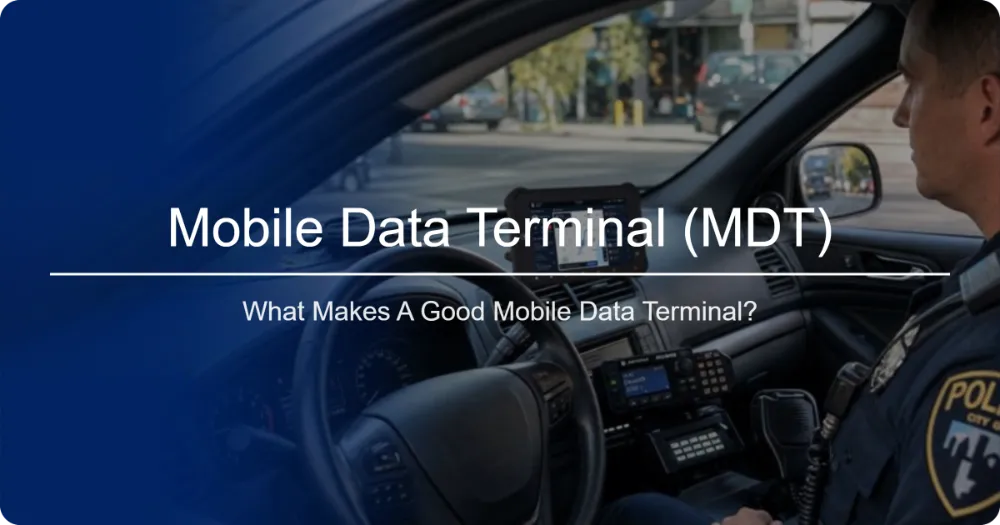
What Makes a Good Mobile Data Terminal?
The strongest MDT is not necessarily the one with the longest specification sheet.
It is the one that fits the complete operational environment.
A well-designed mobile data terminal should combine:
Ruggedness
It must tolerate the physical conditions of mobile operations.
Visibility
Officers and drivers must be able to read the screen in real-world lighting.
Connectivity
The terminal must maintain access to the systems that operators depend on.
Vehicle Integration
Power, mounting, docking, CAN Bus, serial interfaces, and peripherals should work as part of the vehicle architecture.
Security
The endpoint must be centrally managed and protected.
Lifecycle Stability
The platform should remain supportable throughout the expected deployment period.
Software Compatibility
The terminal must run the applications that actually drive the operation.
Rugged Vehicle Tablets as the Next Generation of MDT Hardware
The traditional police MDT was often built around a dedicated vehicle computer and fixed installation.
Modern rugged Android tablets provide another approach.
A suitably configured rugged tablet can combine:
- Touchscreen computing
- Cellular connectivity
- GNSS
- Wi-Fi
- Bluetooth
- Camera
- MDM
- Vehicle docking
- CAN Bus
- USB and serial interfaces
- Cloud applications
This makes the platform adaptable across police vehicles, trucks, buses, service fleets, emergency vehicles, construction equipment, and other mobile environments.
The market is also moving toward more flexible mobile computing architectures. Current industry sources describe rugged tablets and mobile data computers as increasingly common alternatives to traditional in-vehicle computers, while modern MDT platforms are being designed around connectivity, software integration, and long-term field deployment.
learn more:Waysion Q777 7-inch rugged vehicle tablet
FAQ
What does MDT stand for?
MDT stands for Mobile Data Terminal. It generally refers to an in-vehicle computer used to access operational data, communication systems, dispatch platforms, navigation, and other applications.
What is a police MDT?
A police MDT is a mobile data terminal deployed in a law-enforcement vehicle. It can provide officers with access to dispatch, mapping, authorized databases, reporting applications, and other operational systems.
What is an MDT police computer?
An MDT police computer is the computing platform used by officers inside patrol vehicles to access mission-critical digital applications and information.
Is a rugged tablet an MDT?
A rugged tablet can function as an MDT when it has the necessary vehicle mounting, power management, connectivity, software compatibility, and environmental durability.
What is the difference between MDT and MDC?
MDT means Mobile Data Terminal, while MDC means Mobile Data Computer. In modern public-safety deployments, the terms are often used to describe similar in-vehicle computing systems, although specific organizations may define them differently.
Does a police MDT need 4G or 5G?
Not necessarily in every configuration, but cellular connectivity is commonly important when the vehicle needs access to cloud services, dispatch systems, fleet platforms, or other remote networks.
Does an MDT need GPS?
For applications involving navigation, vehicle tracking, or location-based dispatch, GNSS/GPS is an important feature.
Can a rugged tablet connect to CAN Bus?
Yes, suitable industrial rugged tablets can be designed with CAN Bus interfaces or external CAN adapters. Compatibility should be verified at both the hardware and software/protocol levels.
What screen brightness is suitable for a vehicle MDT?
The appropriate brightness depends on installation position and lighting conditions. For vehicles exposed to direct sunlight, high-brightness displays are generally preferable to conventional indoor-oriented tablet displays.
Can an MDT be managed remotely?
Yes. Compatible MDM platforms can allow administrators to manage applications, configurations, security policies, updates, and device status remotely.
Can a mobile data terminal be customized?
Yes. OEM/ODM programs can customize hardware, interfaces, operating systems, software configurations, branding, mounting systems, and other elements according to project requirements.
Conclusion: Building a Reliable Mobile Data Terminal System
A Mobile Data Terminal should be evaluated as a complete mobile computing system, not simply as a tablet with a vehicle mount.
For police and public-safety organizations, the terminal can become the operational interface between officers and dispatch, databases, mapping, reporting, communication, and vehicle information.
For fleet operators, the same architecture can connect drivers with dispatch, navigation, telematics, vehicle data, and fleet-management software.
The most important selection criteria are therefore broader than processor speed.
A professional MDT should provide:
- Rugged environmental protection
- High-brightness display
- Reliable vehicle mounting
- Appropriate vehicle power management
- 4G/5G and GNSS connectivity
- Wi-Fi and Bluetooth
- CAN Bus or other vehicle interfaces where required
- MDM compatibility
- Security and lifecycle support
- Software and SDK integration
- Long-term hardware availability
For system integrators and fleet technology providers, the ideal approach is to define the vehicle, software, connectivity, mounting, power, security, and lifecycle requirements first, then select the rugged computing platform around those requirements.
A properly engineered rugged vehicle tablet can serve as the foundation for a modern MDT solution across law enforcement, public safety, fleet management, transportation, construction, mining, agriculture, and other demanding mobile applications.
References and Further Reading
- Mobile Data Terminal & Police MDT Guide — useful reference for MDT terminology, police MDT functions, ruggedness, docking, MDM, and OEM considerations.
- Mobile Data Computers for Law Enforcement — Digi International — discusses modern mobile data computers and their role in law enforcement.
- Police Car Computers & Tablets — L-Tron — overview of rugged computers and tablets used in patrol vehicles.
- Mobile Data Terminal — Metromatics — example of industrial MDT features including CAN Bus, vehicle power management, GNSS, cellular connectivity, and ruggedization.
Tags: in-vehicle computing, MDT police computer, mobile data computer, mobile data terminal, police MDT, Rugged Vehicle Tablet, Vehicle-Mounted Computer