In the ever-evolving landscape of mobile technology, Mobile Device Management (MDM) solutions have become indispensable for businesses aiming to secure and manage their mobile devices effectively. With the rise in remote work and the increasing use of mobile devices for business operations, selecting the right MDM solution is crucial. In this article, we delve into the top 10 MDM solutions of 2026, providing a comprehensive analysis to help you make an informed decision.
Why MDM Matters for Industrial & Rugged Environments
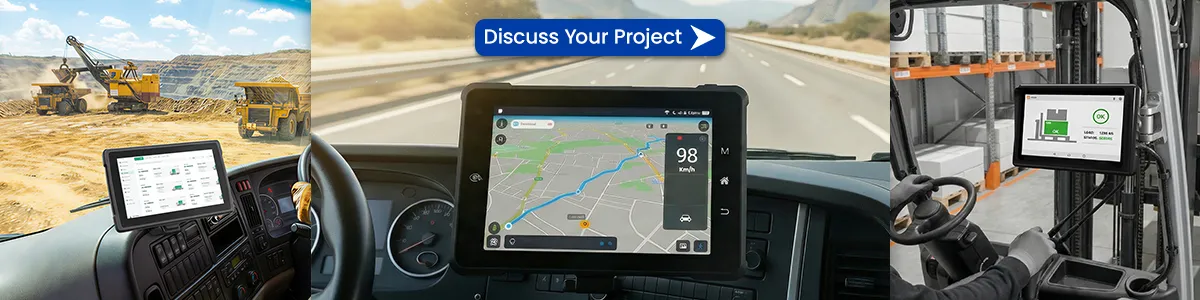
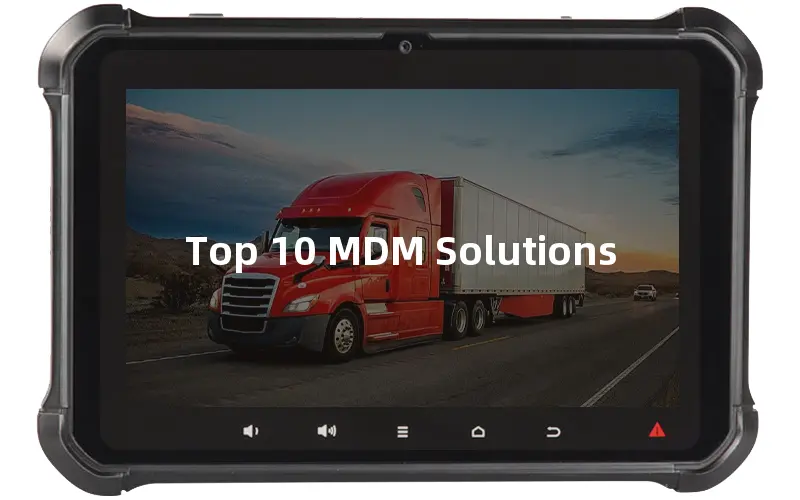
In industrial settings—warehouses, fleets, field service, and manufacturing—mobile devices face dust, drops, extreme temperatures, and constant connectivity demands. A good MDM solution does more than lock screens: it enables remote troubleshooting, kiosk lockdown, app control, and secure data policies on rugged tablets and handhelds. This guide focuses on platforms that support mixed fleets, including Android rugged devices commonly used in logistics and operations.
MDM Solutions Comparison Table (2026)
Based on vendor public information and industry reports (as of mid-2026). Pricing is approximate starting range and may vary by volume, region, and contract. Always confirm with the vendor.
| Solution | OS Support | Deployment | Pricing Range (approx.) | Best For / Suitable Scenarios | Rugged / Kiosk Support |
|---|---|---|---|---|---|
| Microsoft Intune | Android, iOS/iPadOS, Windows, macOS, Linux, ChromeOS | Cloud (primarily) | $8/user/mo (Plan 1 standalone); often included in M365 E3/E5 | Microsoft 365-centric enterprises, hybrid work | Good Android Enterprise & kiosk mode; limited native rugged OEM depth |
| VMware / Omnissa Workspace ONE | Android, iOS, Windows, macOS, Linux, ChromeOS | Cloud / Hybrid / On-prem | $4–15+/device or user/mo (tiered) | Large multi-OS enterprises, frontline workers | Strong rugged & specialized device management; kiosk/launcher support |
| IBM MaaS360 | Android, iOS, Windows, macOS, ChromeOS | Cloud | $4–9.5+/device/mo | Security-focused enterprises, regulated industries | Solid Android Enterprise & kiosk; AI insights helpful for large fleets |
| MobileIron (now Ivanti Neurons) | Android, iOS, Windows, macOS, ChromeOS | Cloud / On-prem | Quote-based (typically $3–6+/device/mo) | Zero-trust security, mixed fleets | Good kiosk & Android management; enterprise-grade |
| Citrix Endpoint Management | Android, iOS, Windows, macOS, ChromeOS, tvOS | Cloud / Hybrid | From ~$2–4/user or device/mo (standalone); higher in Workspace bundles | Citrix Workspace environments, hybrid access | Supports kiosk; stronger when paired with Citrix stack |
| SOTI MobiControl | Android, iOS, Windows, macOS, Linux | Cloud / On-prem | ~$3.25–4+/device/mo | Logistics, warehouse, field service, rugged devices | Excellent – industry-leading OEMConfig for Zebra/Honeywell etc.; strong kiosk & remote control |
| BlackBerry UEM | Android, iOS, Windows, macOS, ChromeOS | Cloud / On-prem | Quote-based | High-security & government/regulated environments | Solid security & kiosk; strong containerization |
| Cisco Meraki Systems Manager | Android, iOS, Windows, macOS, ChromeOS | Cloud | ~$25–40/device/year (term-dependent; EOS approaching) | Organizations already in Meraki ecosystem | Basic kiosk support; note: End-of-Sale announced, support until 2029 |
| ManageEngine Mobile Device Manager Plus | Android, iOS, Windows, macOS, ChromeOS, tvOS | Cloud / On-prem | Free (up to 25 devices); from ~$1.3–2.4/device/mo (cloud) or ~$10–18/device/year (on-prem) | SMBs, cost-conscious teams, government | Good kiosk mode & remote troubleshooting; solid multi-OS |
| Scalefusion | Android, iOS, Windows, macOS, Linux, ChromeOS | Cloud | From $2/device/mo (billed annually) | Mixed fleets, retail, education, logistics | Strong kiosk (single/multi-app), OEM configs, location tracking – well-suited for industrial tablets |
Click on the above picture to see the specific Model
Top 10 mdm solution
1. Microsoft Intune
Microsoft Intune is a robust MDM solution that integrates seamlessly with the Microsoft ecosystem. It offers comprehensive device and application management capabilities, allowing organizations to manage both corporate and BYOD (Bring Your Own Device) environments effectively.
Key Features:
- Integration with Azure AD: Simplifies user authentication and management.
- Application Management: Controls app distribution and usage.
- Compliance Policies: Ensures devices meet security standards.
- Conditional Access: Restricts access based on device compliance.
Benefits:
- Enhanced security through integrated compliance policies.
- Streamlined management of devices and applications.
- Flexible deployment options for various device types.
For teams using rugged Android tablets in vehicles or warehouses, Intune’s Conditional Access and app management work well when paired with devices that support Android Enterprise. It integrates cleanly with Microsoft 365 environments common in larger enterprises.
2. VMware Workspace ONE
VMware Workspace ONE is a unified endpoint management platform that offers a wide range of MDM capabilities. It supports multiple operating systems and provides advanced features for device management and security.
Key Features:
- Unified Endpoint Management: Manages all device types from a single console.
- Intelligent Automation: Automates routine tasks for efficiency.
- Robust Security: Offers comprehensive security features including encryption and threat detection.
- Application Management: Facilitates easy app distribution and updates.
Benefits:
- Simplified device management across various platforms.
- Enhanced security with real-time threat detection.
- Improved productivity through automation.
3. IBM MaaS360
IBM MaaS360 is a powerful MDM solution that leverages AI to provide intelligent insights and enhance security. It supports a wide range of devices and offers flexible deployment options.
Key Features:
- AI-Powered Insights: Provides actionable insights for better decision-making.
- Comprehensive Security: Includes malware detection and data loss prevention.
- Device and App Management: Manages device settings, applications, and data.
- Scalability: Supports large-scale deployments with ease.
Benefits:
- Enhanced decision-making with AI-driven insights.
- Robust security features to protect sensitive data.
- Scalable solution for growing businesses.
Click on the above picture to see the specific Model
4. MobileIron
MobileIron is a leading MDM solution known for its strong security features and ease of use. It supports a wide range of devices and offers comprehensive management capabilities.
Key Features:
- Zero Trust Security: Ensures secure access to corporate resources.
- Unified Endpoint Management: Manages devices, apps, and content from a single platform.
- Flexible Deployment: Supports cloud, on-premises, and hybrid deployments.
- Real-Time Visibility: Provides detailed insights into device and app usage.
Benefits:
- Enhanced security with zero trust architecture.
- Simplified device and app management.
- Flexible deployment options to suit various business needs.
5. Citrix Endpoint Management
Citrix Endpoint Management offers a comprehensive suite of tools for managing and securing mobile devices. It integrates with other Citrix products to provide a seamless experience for end-users.
Key Features:
- Unified Management: Manages all endpoints from a single platform.
- Secure Access: Provides secure access to corporate resources.
- App and Data Management: Controls application usage and data access.
- User Experience: Enhances productivity with a user-friendly interface.
Benefits:
- Comprehensive endpoint management capabilities.
- Enhanced security for corporate data.
- Improved user experience with seamless integration.
6. SOTI MobiControl
SOTI MobiControl is a versatile MDM solution that supports a wide range of devices and operating systems. It offers robust security features and flexible management options.
Key Features:
- Cross-Platform Support: Manages devices across various operating systems.
- Advanced Security: Includes encryption, malware protection, and data loss prevention.
- Remote Control: Allows administrators to troubleshoot devices remotely.
- Policy Management: Enforces compliance policies across all devices.
Benefits:
- Broad device support for diverse environments.
- Enhanced security with comprehensive protection features.
- Efficient device management with remote control capabilities.
7. BlackBerry UEM
BlackBerry UEM (Unified Endpoint Management) is known for its strong security features and extensive management capabilities. It supports a wide range of devices and integrates with other BlackBerry products.
Key Features:
- Unified Endpoint Management: Manages all device types from a single console.
- High-Level Security: Offers advanced encryption and threat detection.
- App Management: Facilitates easy app distribution and updates.
- Compliance Management: Ensures devices comply with corporate policies.
Benefits:
- Enhanced security with high-level encryption.
- Simplified app and device management.
- Comprehensive compliance management.
Click on the above picture to see the specific Model
8. Cisco Meraki
Cisco Meraki provides a cloud-based MDM solution that offers powerful features and easy deployment. It is designed to simplify device management and enhance security.
Key Features:
- Cloud-Based Management: Simplifies deployment and management.
- Scalable: Supports businesses of all sizes.
- Robust Security: Includes encryption, malware protection, and policy enforcement.
- Real-Time Monitoring: Provides detailed insights into device usage.
Benefits:
- Easy deployment with cloud-based management.
- Scalable solution for growing businesses.
- Enhanced security with comprehensive protection features.
9. ManageEngine Mobile Device Manager Plus
ManageEngine Mobile Device Manager Plus offers a wide range of MDM features designed to enhance security and productivity. It supports various devices and provides flexible deployment options.
Key Features:
- Device Management: Manages device settings, applications, and data.
- Security Management: Includes encryption, malware protection, and compliance policies.
- Remote Troubleshooting: Allows administrators to resolve issues remotely.
- App Management: Facilitates easy app distribution and updates.
Benefits:
- Comprehensive device and security management.
- Efficient troubleshooting with remote capabilities.
- Flexible deployment options for different business needs.
10. Scalefusion
Scalefusion is an intuitive MDM solution that offers a user-friendly interface and robust management features. It supports a wide range of devices and provides advanced security capabilities.
Key Features:
- User-Friendly Interface: Simplifies device and app management.
- Advanced Security: Includes encryption, threat detection, and compliance policies.
- Cross-Platform Support: Manages devices across various operating systems.
- Remote Management: Allows administrators to control devices remotely.
Benefits:
- Easy-to-use interface for simplified management.
- Enhanced security with advanced protection features.
- Broad device support for diverse environments.
How to Choose an MDM for Rugged & Industrial Fleets
When evaluating MDM for industrial use, prioritize:
- Strong Android Enterprise and kiosk/single-app mode support
- Remote control and troubleshooting for devices in the field
- Offline policy enforcement and location tracking
- Compatibility with rugged hardware that may run custom Android builds
- Total cost including management of shared or dedicated devices
Many organizations pair a solid MDM with purpose-built rugged tablets to reduce failure rates and simplify support.
FAQ
What is the difference between MDM and UEM?
MDM focuses on mobile devices; UEM (Unified Endpoint Management) expands to laptops, desktops, and sometimes IoT from one console. Most modern platforms listed here lean toward UEM.
Which MDM works best with rugged Android tablets?
Platforms with mature Android Enterprise support (Scalefusion, SOTI MobiControl, ManageEngine, Intune) handle kiosk mode, app lockdown, and remote wipe effectively on industrial devices.
Do I need MDM if devices are company-owned only?
Yes. Even corporate-owned fleets benefit from centralized policy, app distribution, compliance reporting, and remote support—especially when devices are distributed across sites or vehicles.
In conclusion, selecting the right MDM solution depends on your organization’s specific needs and requirements. Each of the solutions listed above offers unique features and benefits that cater to different business environments. By carefully evaluating these options, you can ensure that your mobile devices are managed effectively and securely.
Selecting the right MDM is only half the equation. The other half is choosing devices that stay reliable under real-world industrial conditions. If you’re evaluating MDM for rugged tablets or fleet deployments, our team can help match hardware capabilities with your management platform.
Tags: MDM solution, Mobile Device Management, Top 10 MDM Solutions: Comprehensive Guide to Mobile Device Management in 2024